¶ STEP 1: CHANGE THE FARM MODE
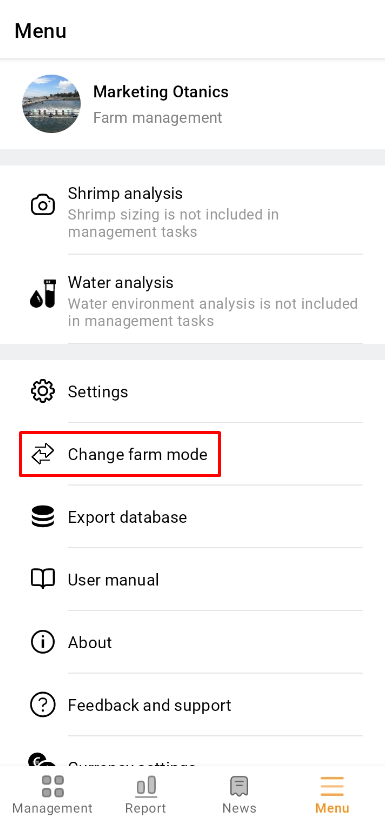
1. Open the app and click "Menu". Then click “Change farm mode” to check whether it is in Hatchery management mode.
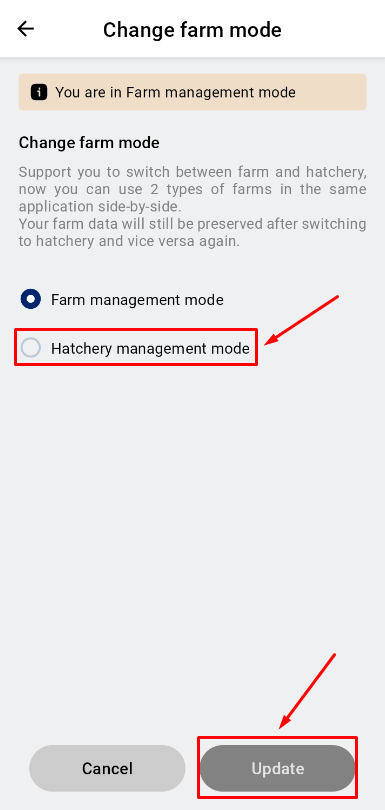
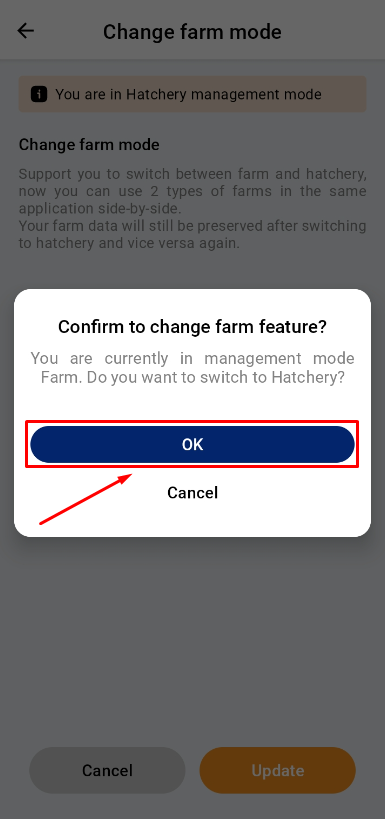
2. Click “Update” to set Hatchery management mode . Then back to Menu.
(If this mode has been selected before, you can skip this step.)
 |
 |
¶ STEP 2: CREATE A MEASUREMENT
- Option A: Create a Measurement at ‘Farm Management’
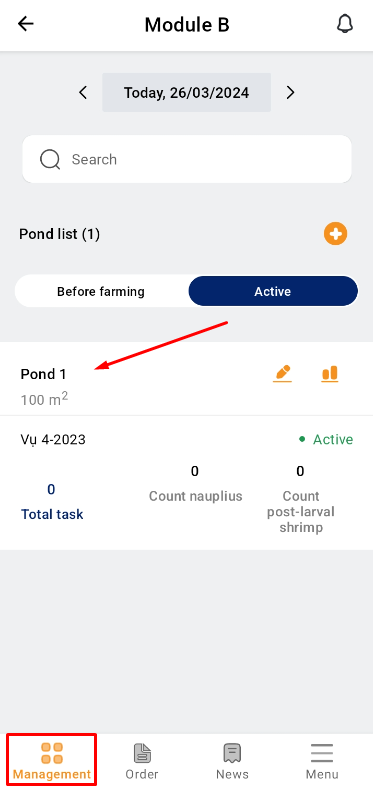
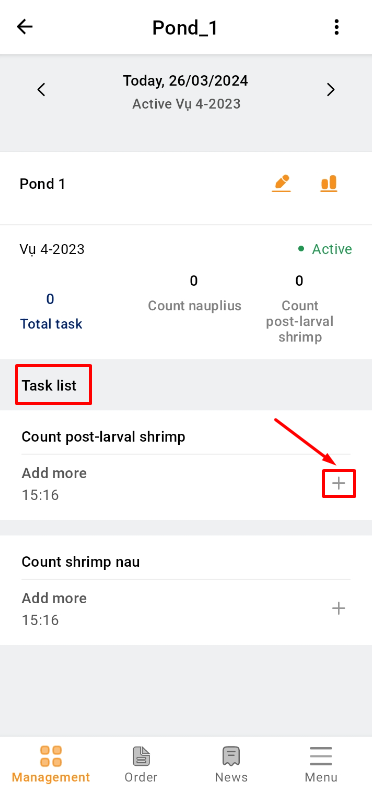
1. Access the TOMOTA app on your mobile device. Select the Pond that is needed to measure post larval shrimp at the “Management” item;
2. Choose to measure “Count post-larval shrimp”. Click to create a measurement by clicking the “+” sign;
 |
 |
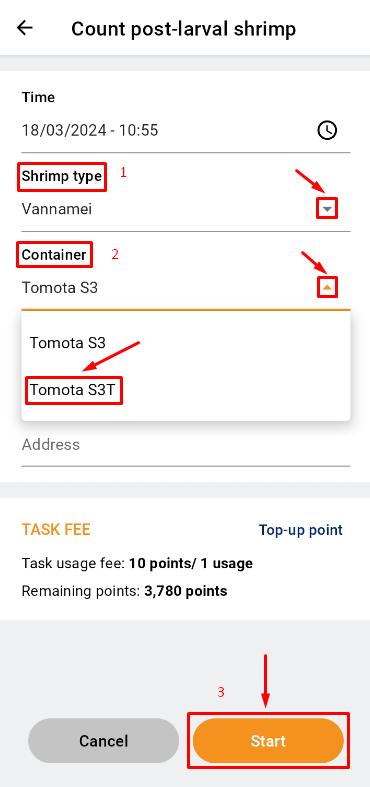
3. After creating a measurement, select the shrimp type by clicking the ▼ next to “Shrimp type”. Then click the ▼ next to “Container” and select “TOMOTA S3T”.
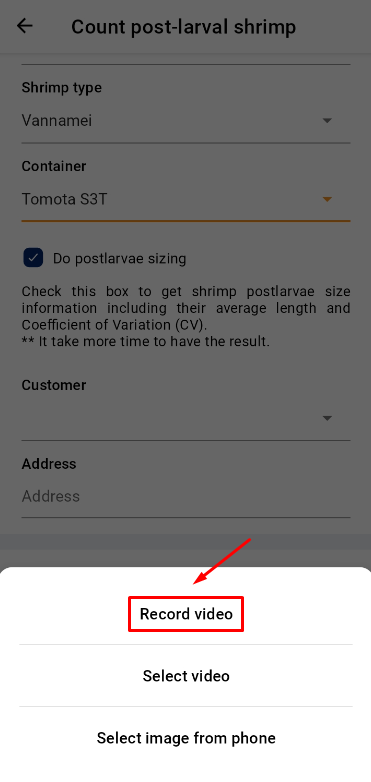
4. Click “Start”. Then click “Record video” to take a video in real time.
 |
 |
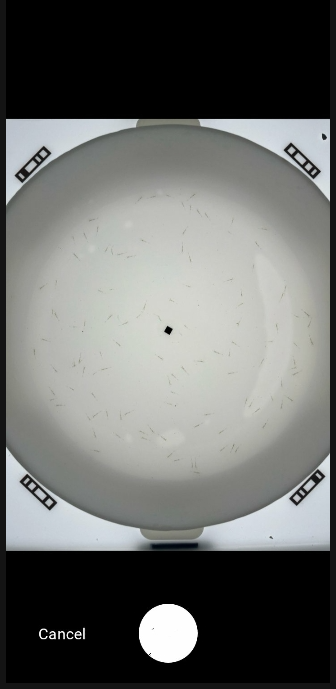
5. A new interface will open, adjust the position of camera, where the user clicks on the black point in the center of the tray to focus the camera. Click the button to record;
6. After 6s, the app will back on this screen. Wait a while for processing and analysis results.
 |
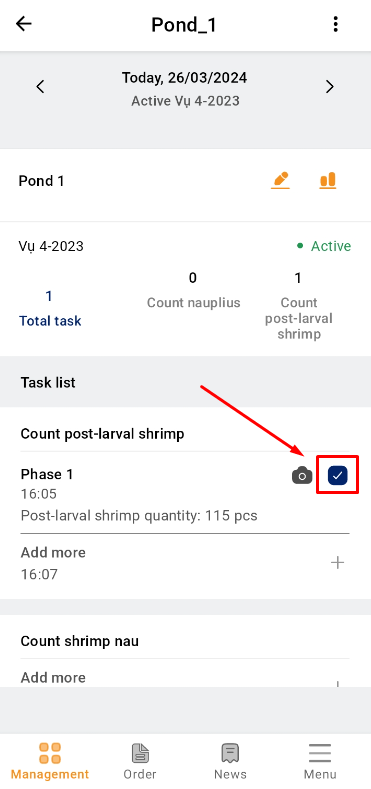 |
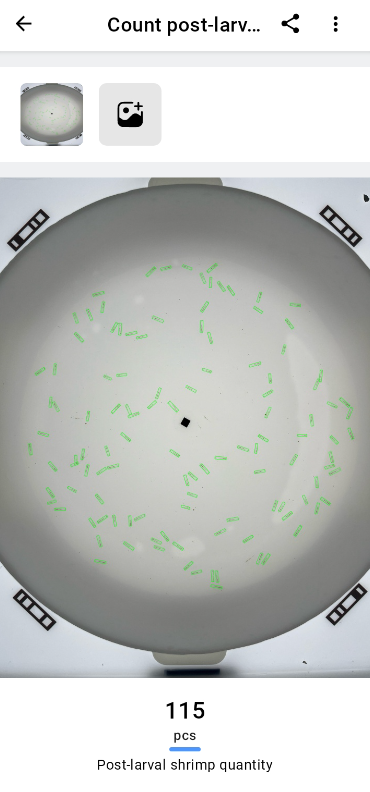
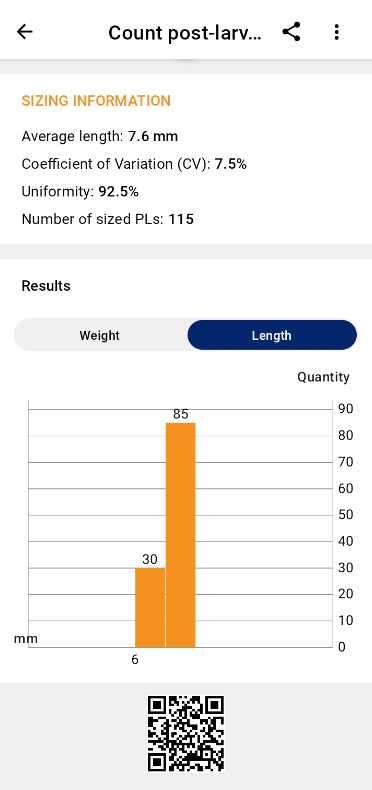
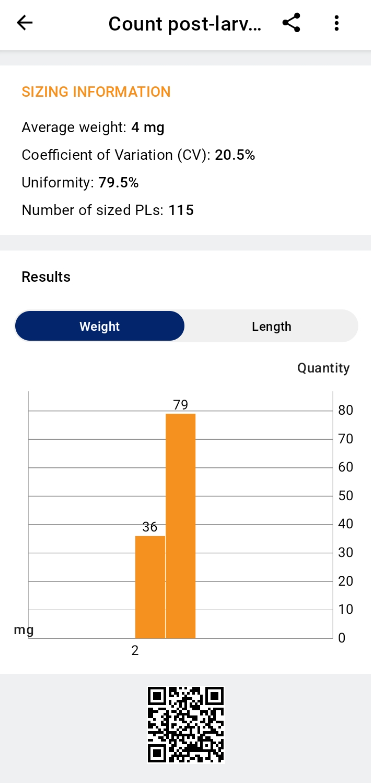
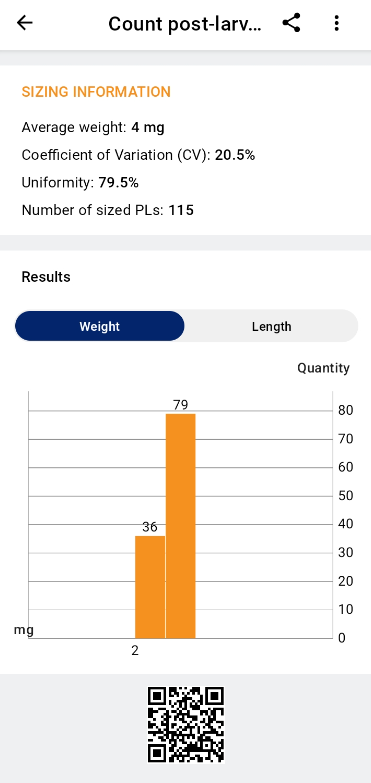
7. The final result.
 |
 |
 |
- Option B: Create a Measurement at ‘B’
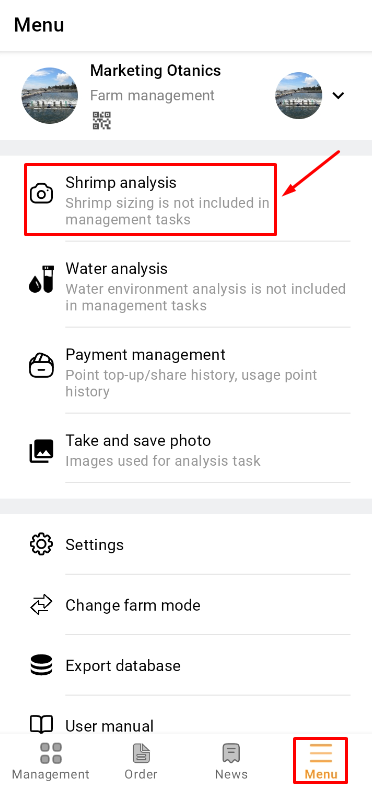
1. Access the TOMOTA app on your mobile device. Click on the "Menu" item and select the "Shrimp analysis" section.
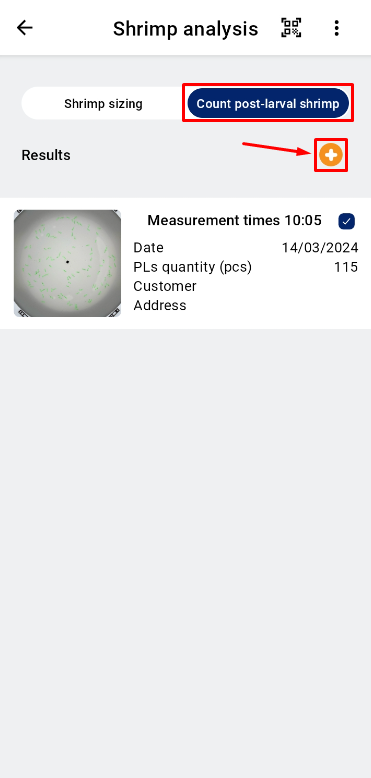
2. Choose to measure “Count post-larval shrimp”. Click to create a measurement by clicking the “+” sign;
 |
 |
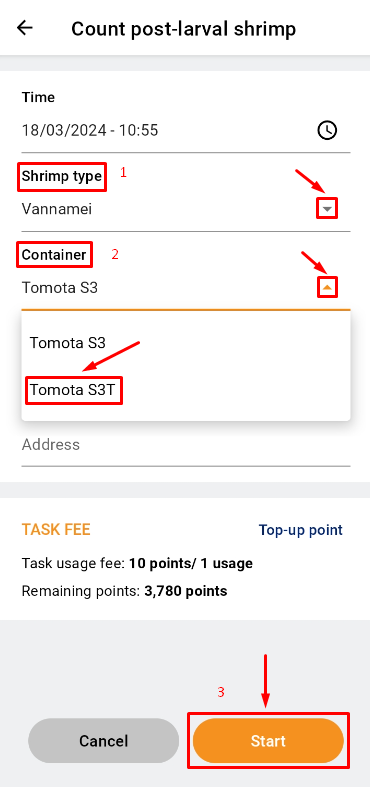
3. After creating a measurement, select the shrimp type by clicking the ▼ next to “Shrimp type”. Then click the ▼ next to “Container” and select “TOMOTA S3T”.
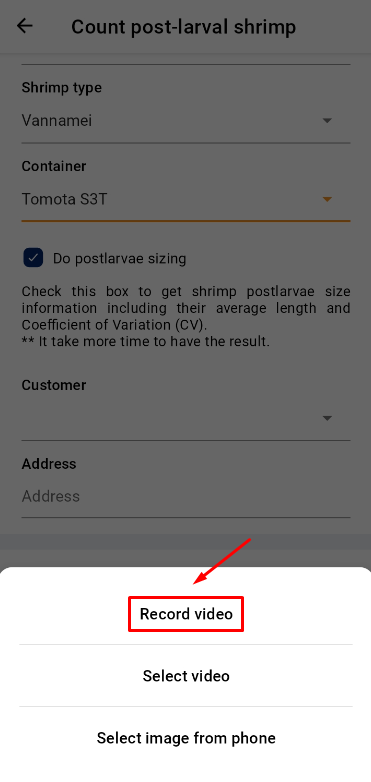
4. Click “Start”; then click “Record video” to take a video in real time;
 |
 |
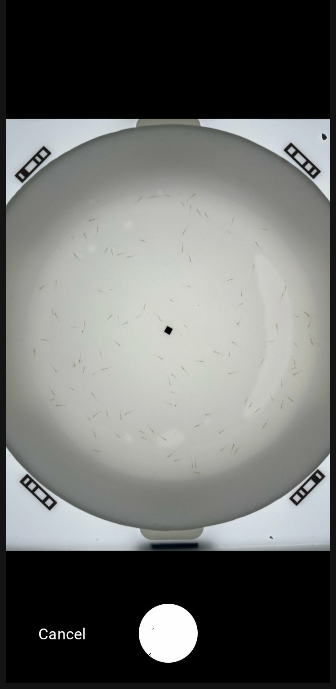
5. A new interface will open. Then, adjust the position of camera, where the user clicks on the black point in the center of the tray to focus the camera;
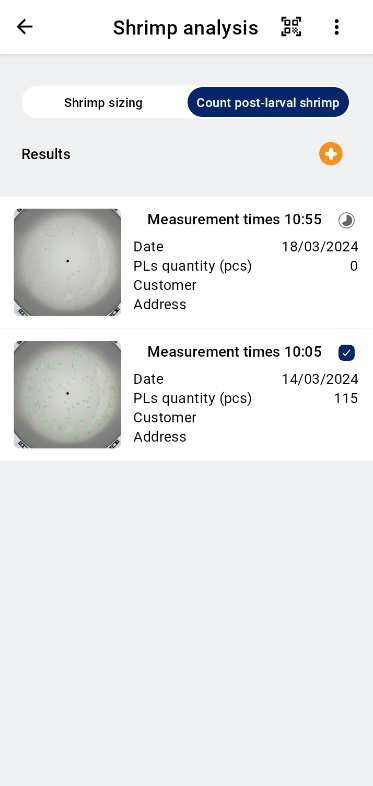
6. The screen will display the update notices and update the shrimp larval count. Wait a few seconds to receive the results.
 |
 |
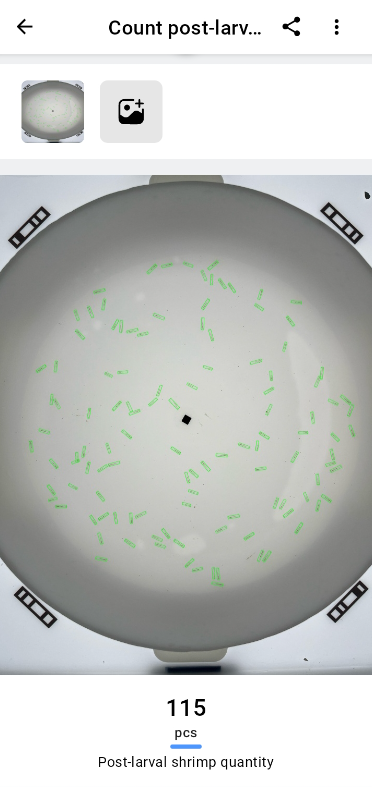
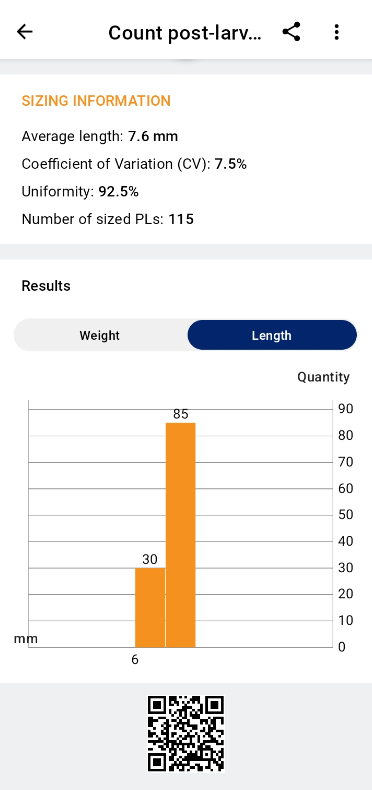
7. The final result.
 |
 |
 |