STEP 1: CHANGE THE FARM MODE
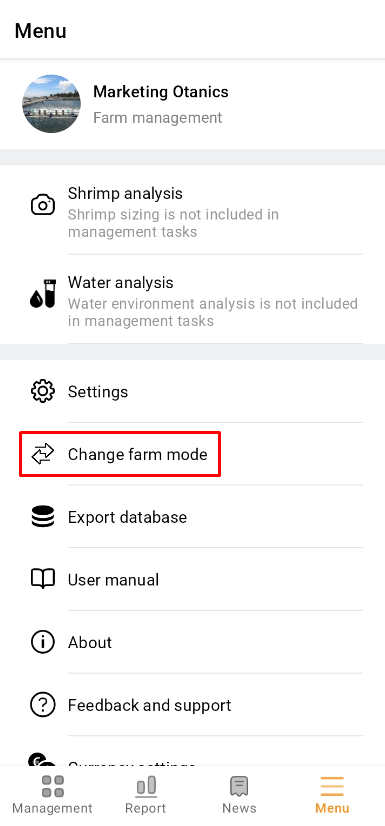
1. Open THE app and click "Menu". Then click “Change farm mode” to check whether it is in the Hatchery management mode.
 |
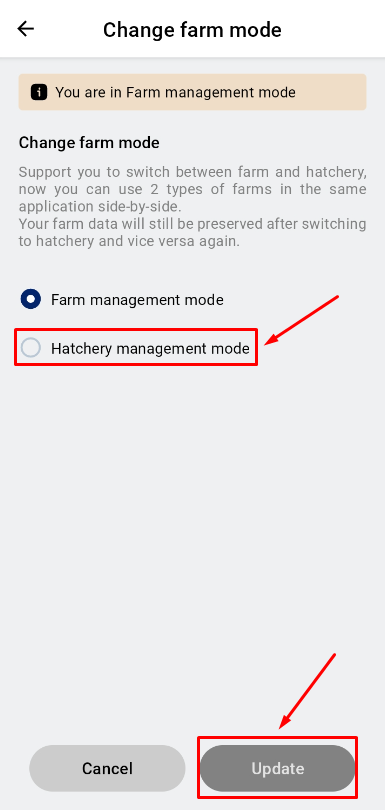 |
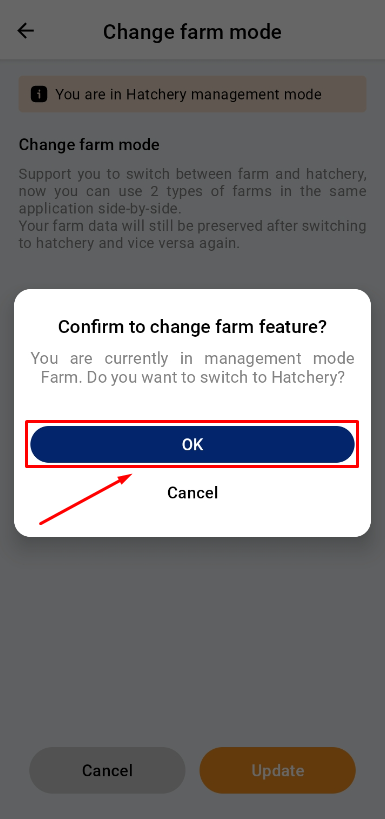
2. Click “Update” to set Hatchery management mode. Then back to the Menu.
(If this mode has been selected before, you can skip this step.)
 |
STEP 2: CREATE A MEASUREMENT
- Option A - Create a measurement at ‘Farm Management’
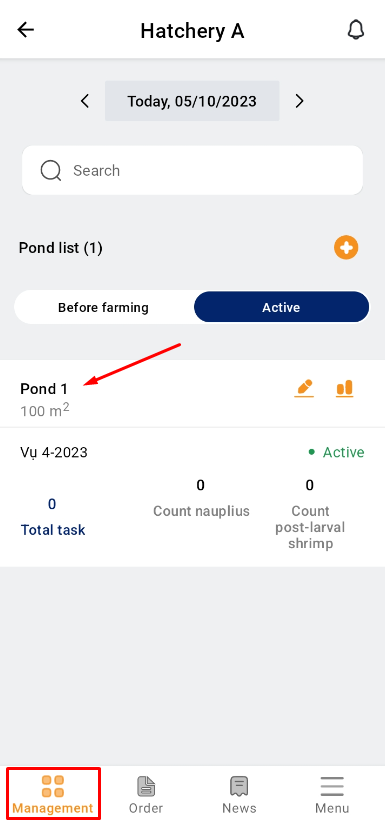
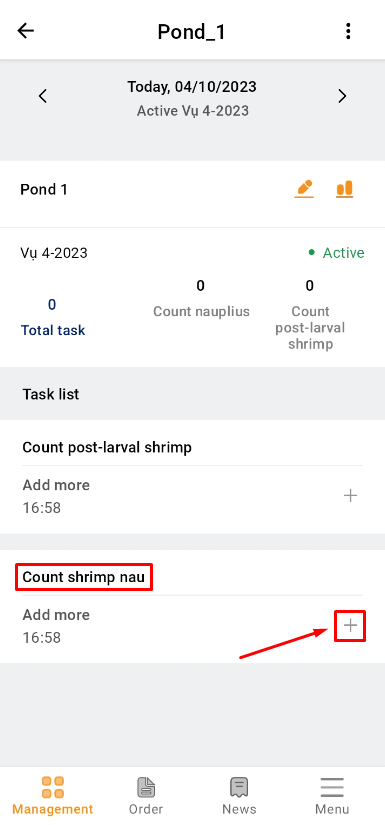
1. At the “Management” item, choose the Pond that needs to count Nauplius.
2. Then click the add symbol at “Count shrimp nau” to take a new recording video.
 |
 |
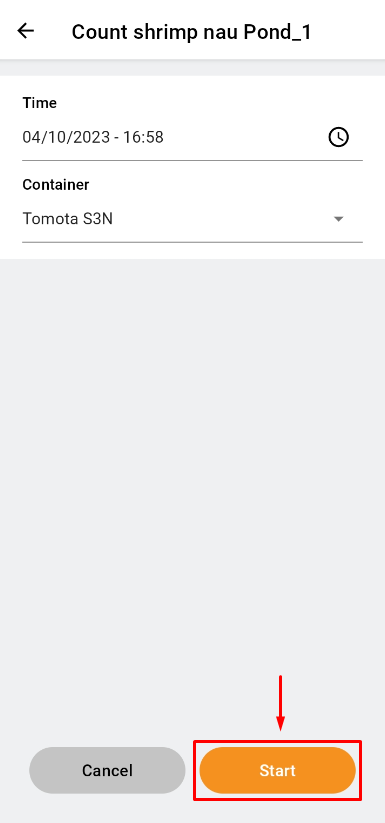
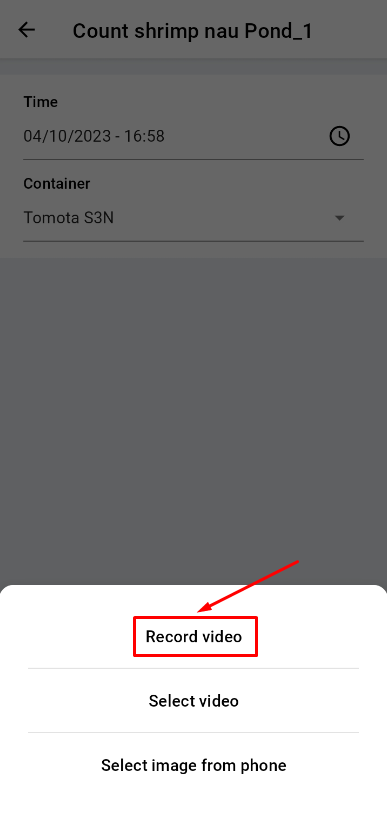
3. Click “Start”. Then click “Record video” to take a video in real time.
 |
 |
4. Adjust the position of the camera, and click the button to record.
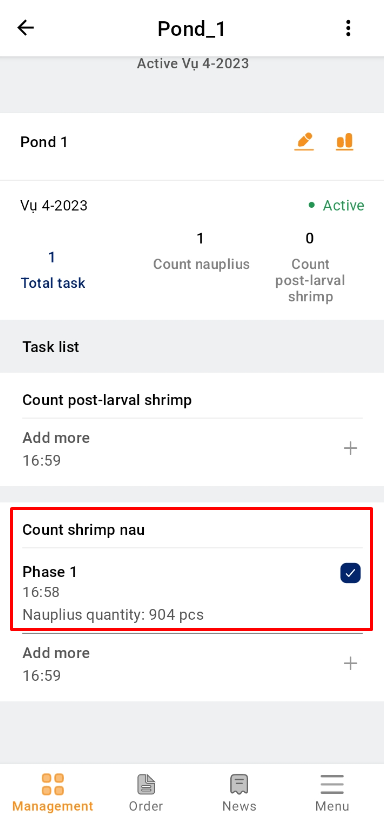
5. After 6s, the app will go back to this screen. Wait for the loading result. If it’s changed to a blue check box icon, the process is done.
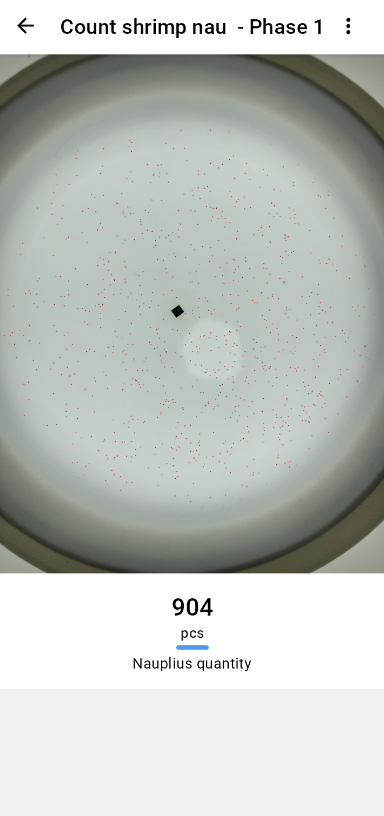
6. The final result.
 |
 |
- Option B - Create a measurement at the ‘Menu’
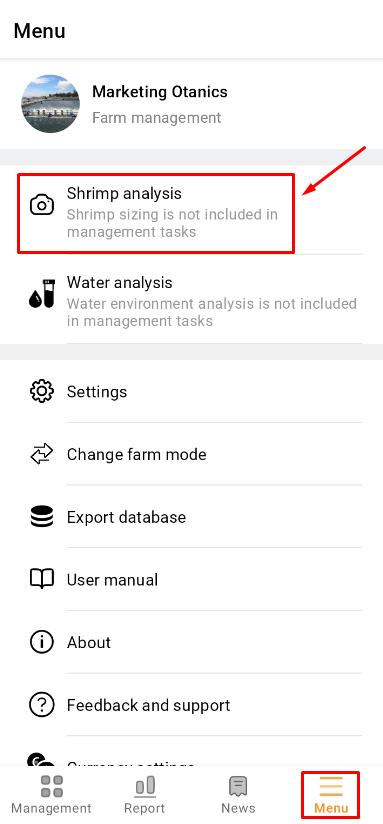
1. At the “Menu” item, click “Shrimp Analysis” to start the counting interface.
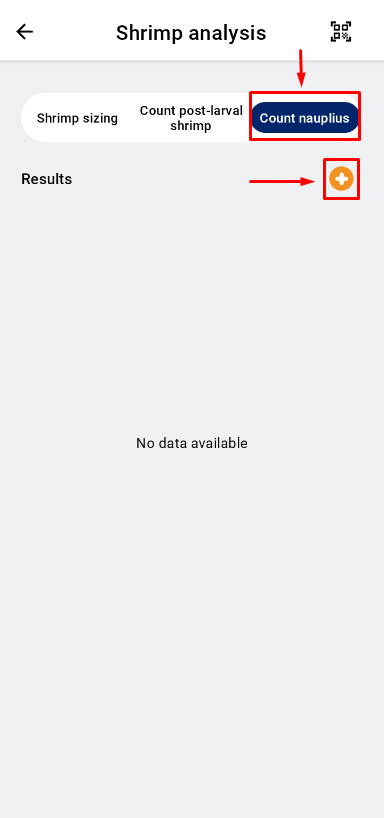
2. At “Shrimp Analysis”, choose “Count nauplius”. Then click the add symbol to take a new video recording.
 |
 |
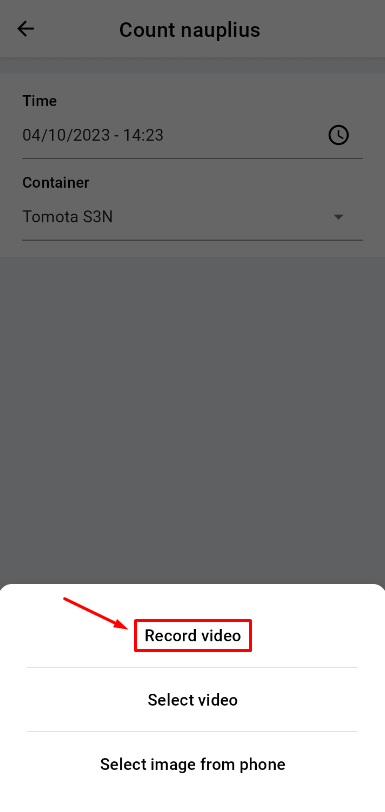
3. Click “Start”. Then click “Record video” to take a video in real time
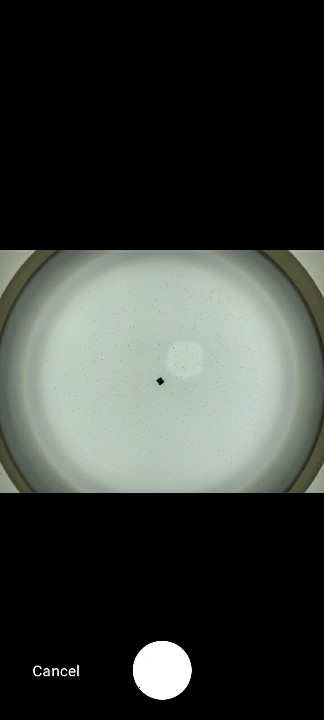
4. Adjust the position of the camera, and click the button to record.
 |
 |
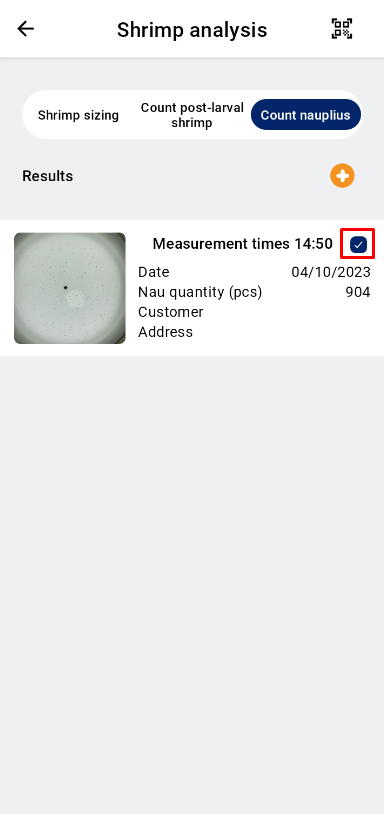
5. After 6s, the app will back on this screen, and waiting for processing. Wait for loading result. If it’s change to blue check box icon, the process is done.
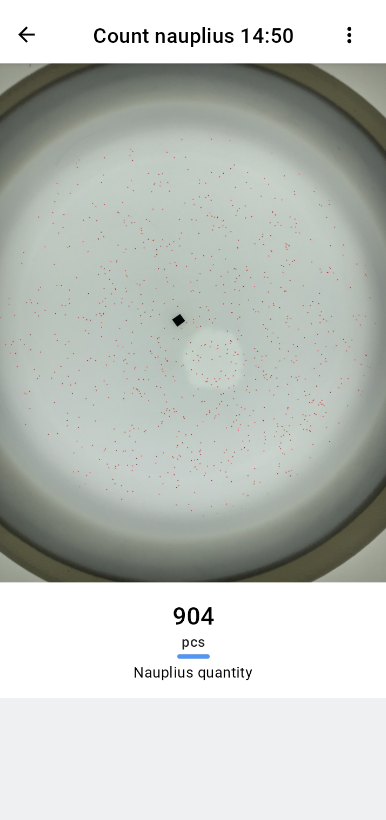
6. The final result.
Note: Nauplii couting at the Menu item is not included in management tasks.
 |
 |