¶ INSTRUCTIONS FOR COUNTING POST-LARVAE USING TOMOTA S3
STEP 1: Prepare Materials
- 1 TOMOTA S3 box;
- 1 small net;
- 1 measuring cup 500ml;
- Shrimp post-larvae above 6mm
- Four-piece coupling for lifting (5cm): Use a lifting equipment coupling to ensure that the camera on your phone captures 4 markers on the Tomota S3 box, which includes the following types of phones:
- iPhone: iPhoneX model onwards;
- Android: based on the camera's field of view.
STEP 2: Prepare for Counting Shrimp Post-Larvae with TOMOTA S3
- Use the measuring cup to collect approximately 500 mL of pond water and pour it into the TOMOTA S3.
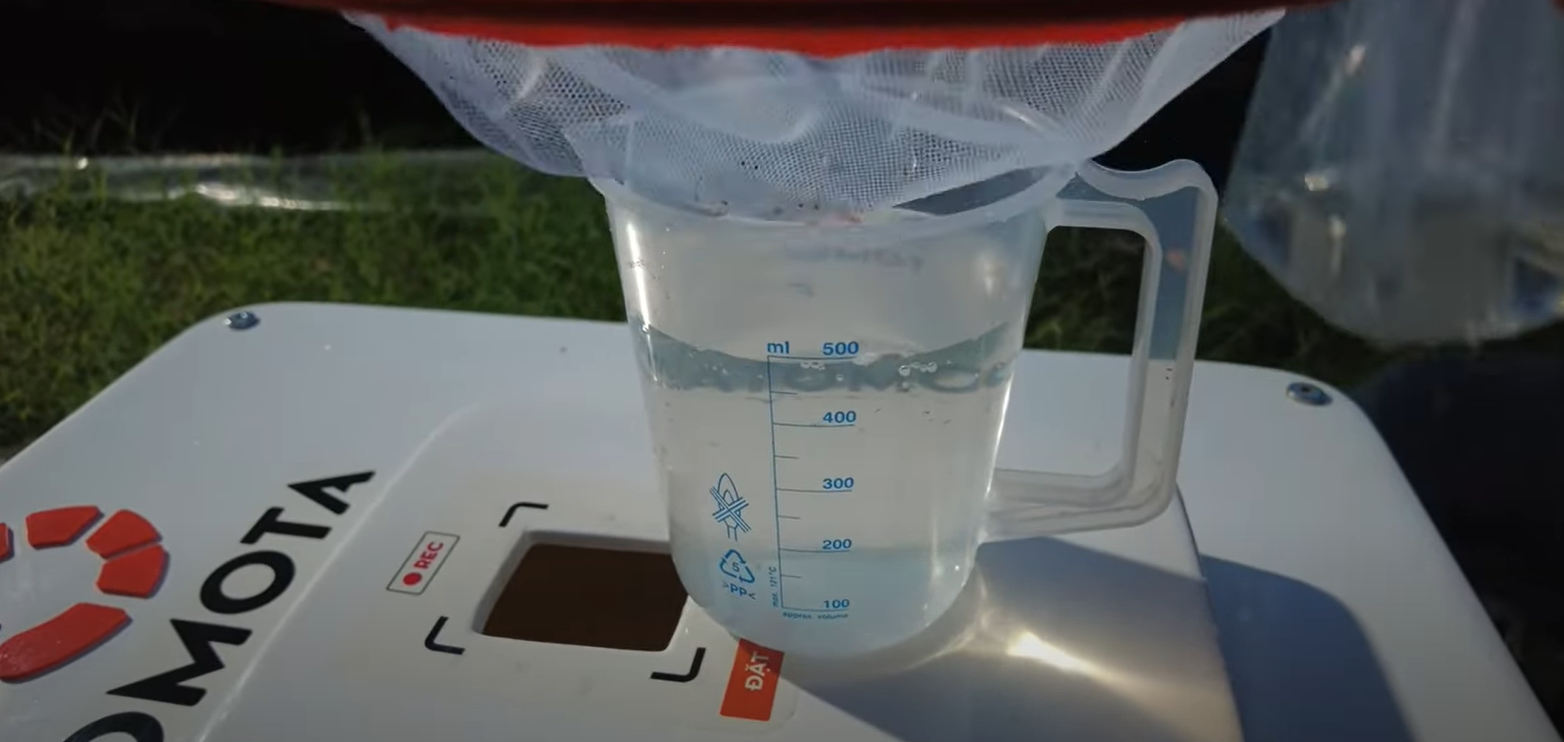
- Use the small net to get the number of shrimp post-larvae.
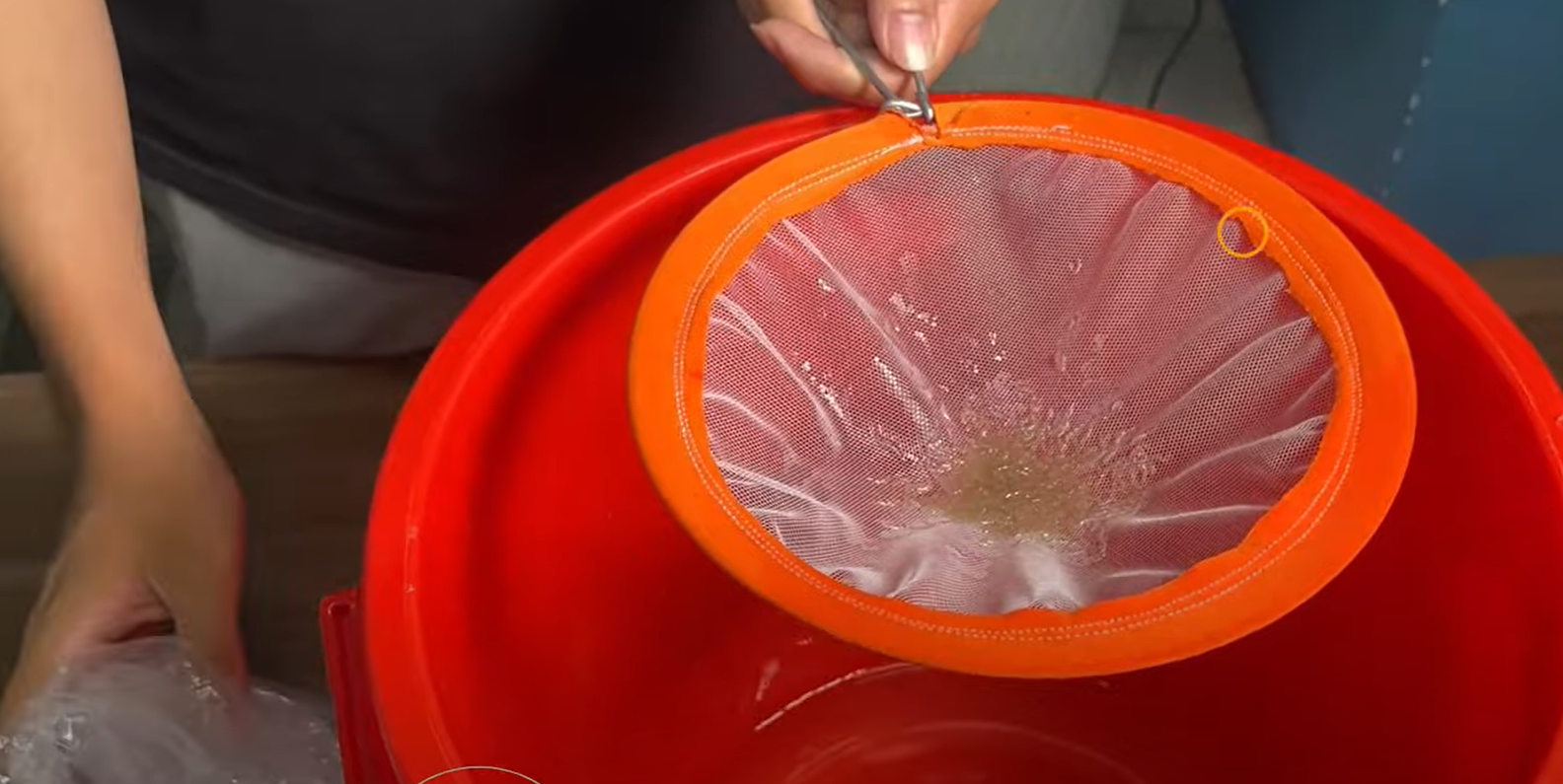
- Put these Shrimp PLs into TOMOTA S3, shake it, and close the lid.
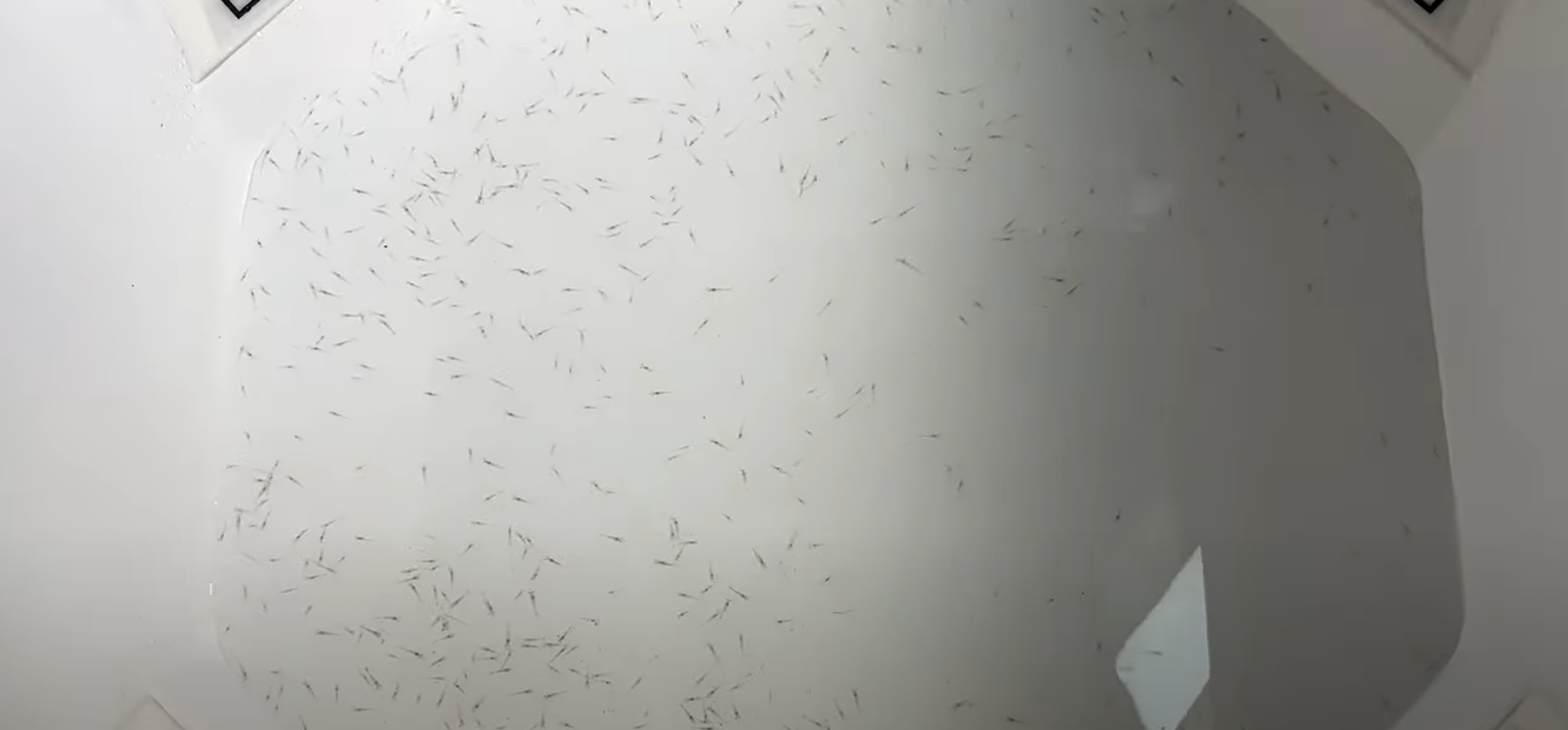
STEP 3: Position the Camera Correctly
Open the TOMOTA app and the camera feature. Place the phone on the square on the lid. Then adjust the camera to see 4 markers at the corners of the screen.
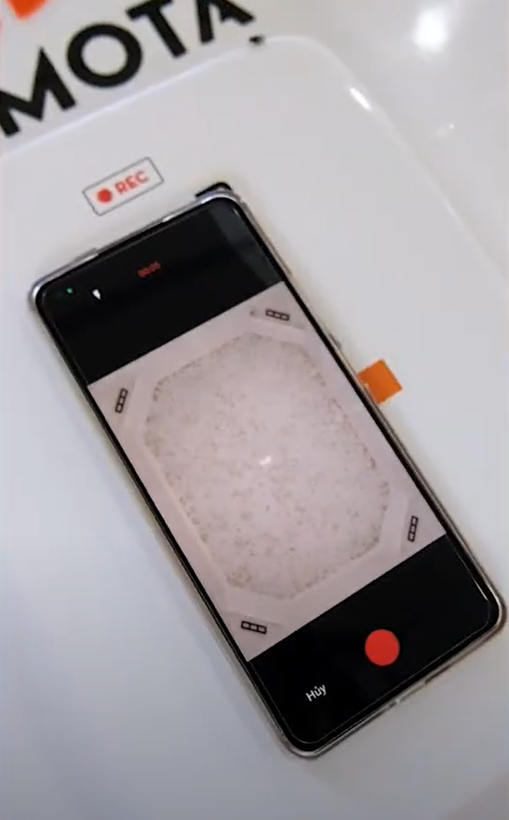
STEP 4: Observe Results
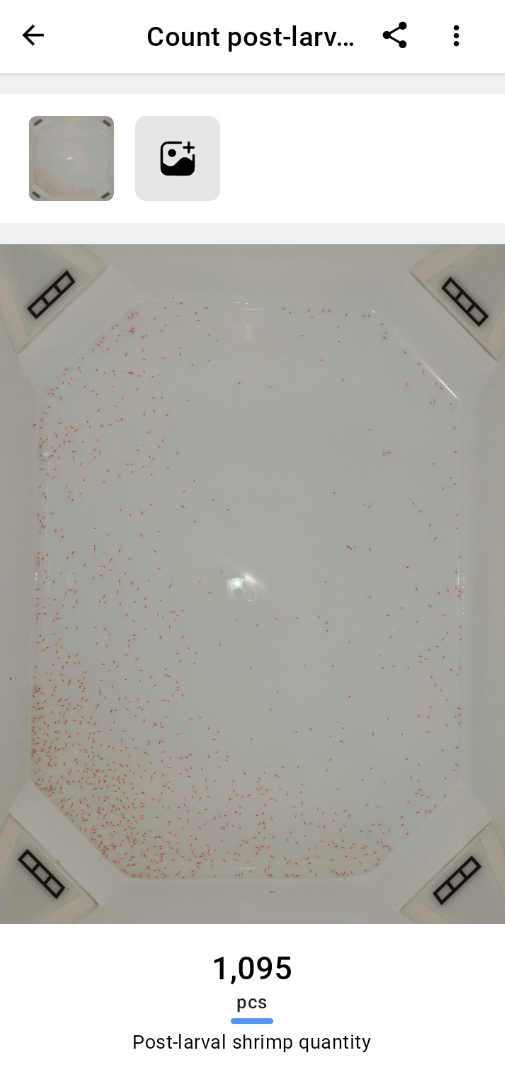
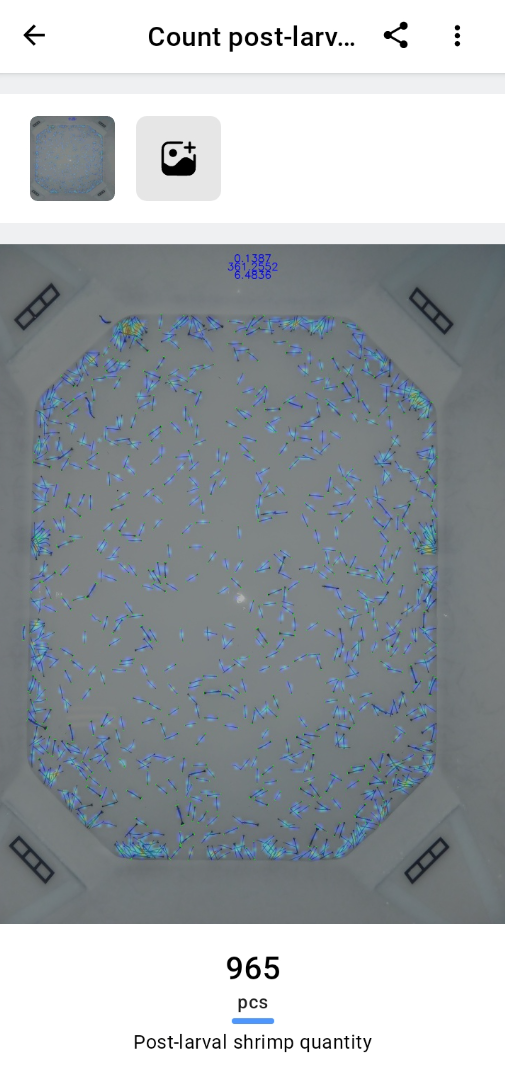
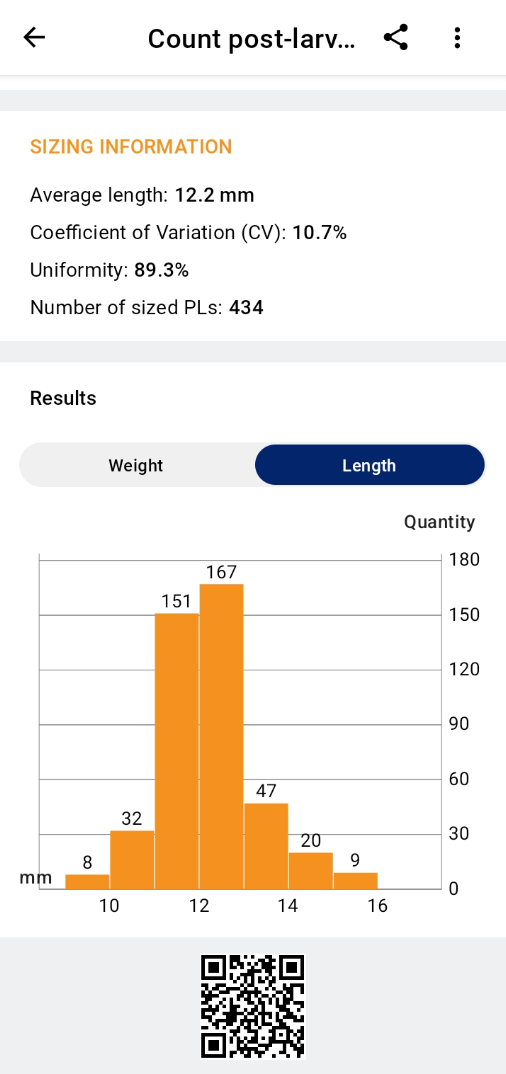
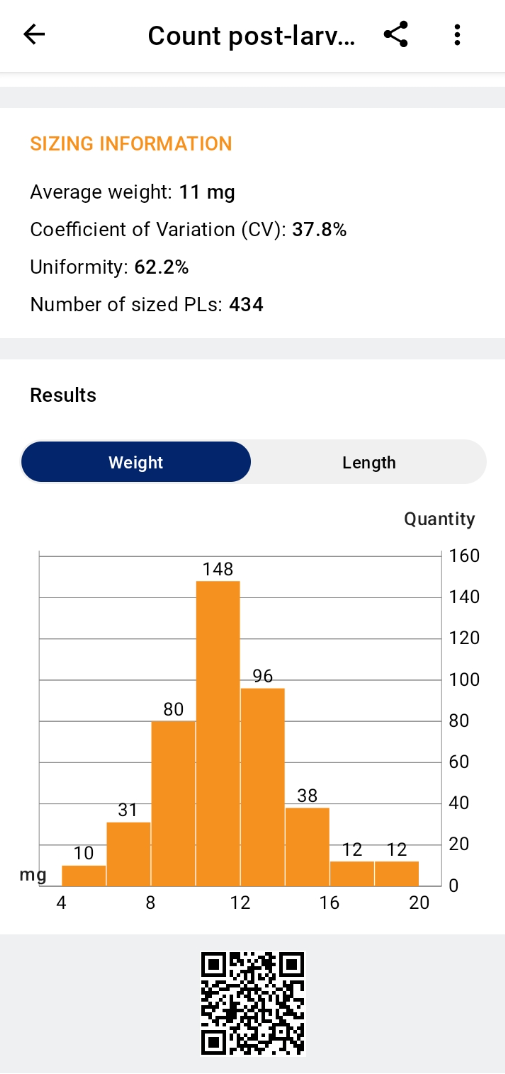
AI camera will automatically scan shrimp post-larvae and count.
- The result of counting vannamei
- The result of counting Monodon
STEP 5: Clean & Store
Clean after use with water and store in a cool, dry place.
¶ INSTRUCTIONS FOR MEASURING SHRIMP SIZE USING TOMOTA S3
STEP 1: Prepare Materials
- 1 TOMOTA S3 box;
- 1 small net;
- 1 measuring cup 500ml;
- Four-piece coupling for lifting (5cm): Use a lifting equipment coupling to ensure that the camera on your phone captures 4 markers on the TOMOTA S3 box, which includes the following types of phones:
- iPhone: from iPhone X and later models;
- Android: based on the camera's field of view.
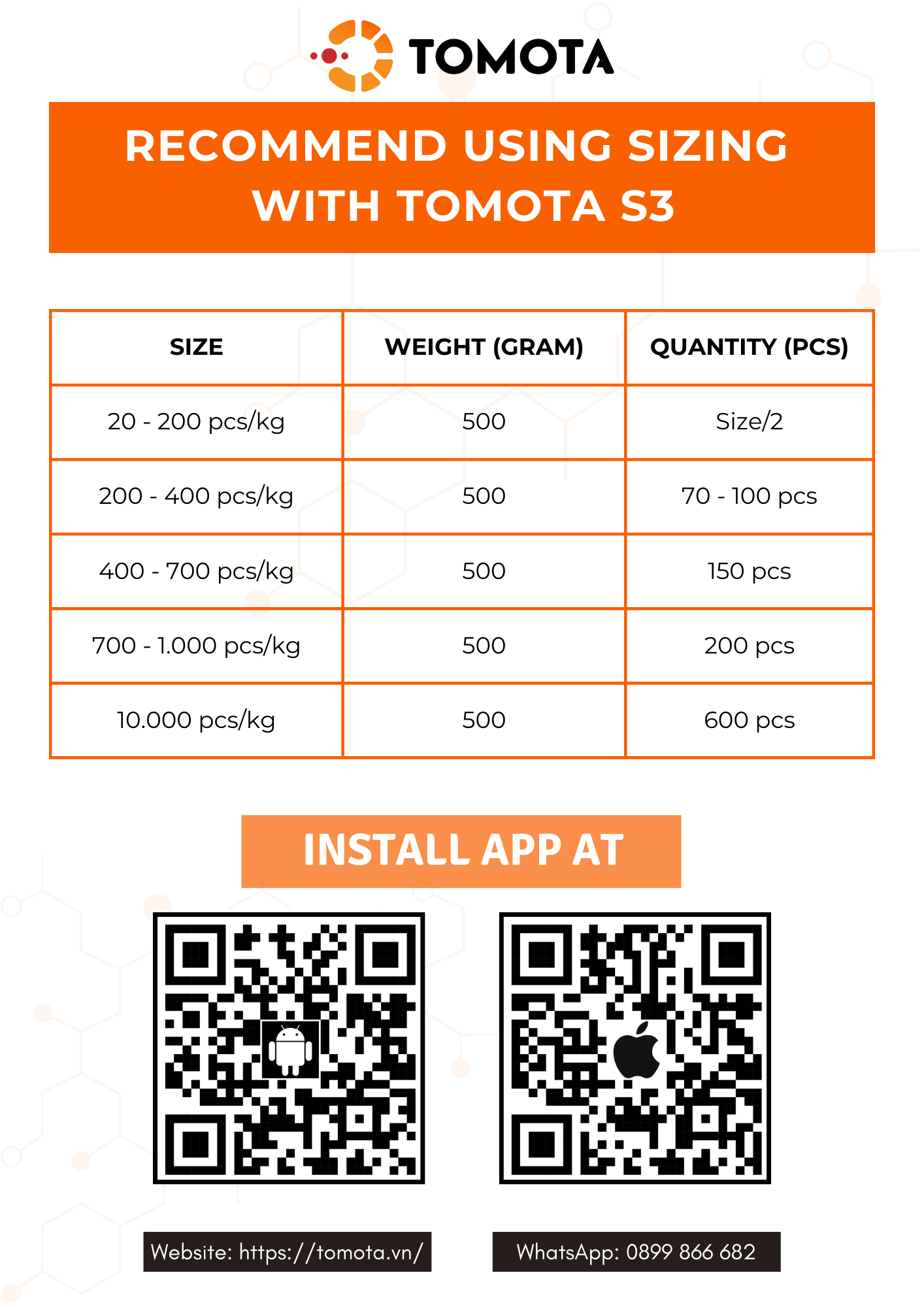
- Shrimp (vannamei and monodon). It is recommended to use the shrimp size listed below with TOMOTA S3.
STEP 2: Prepare for Counting Shrimp Post-Larvae with TOMOTA S3
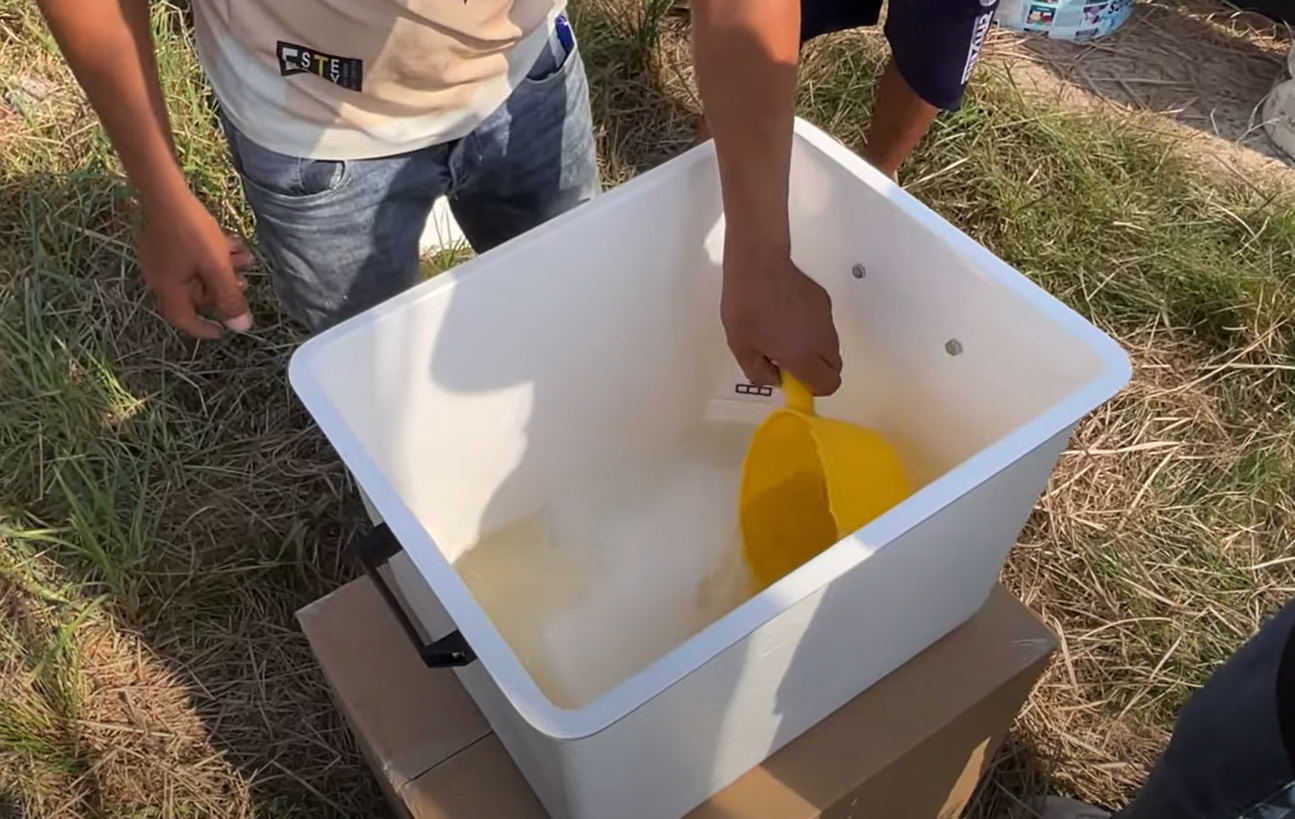
- Use the measuring cup to collect approximately 500 mL of pond water and pour it into the TOMOTA S3.
 |
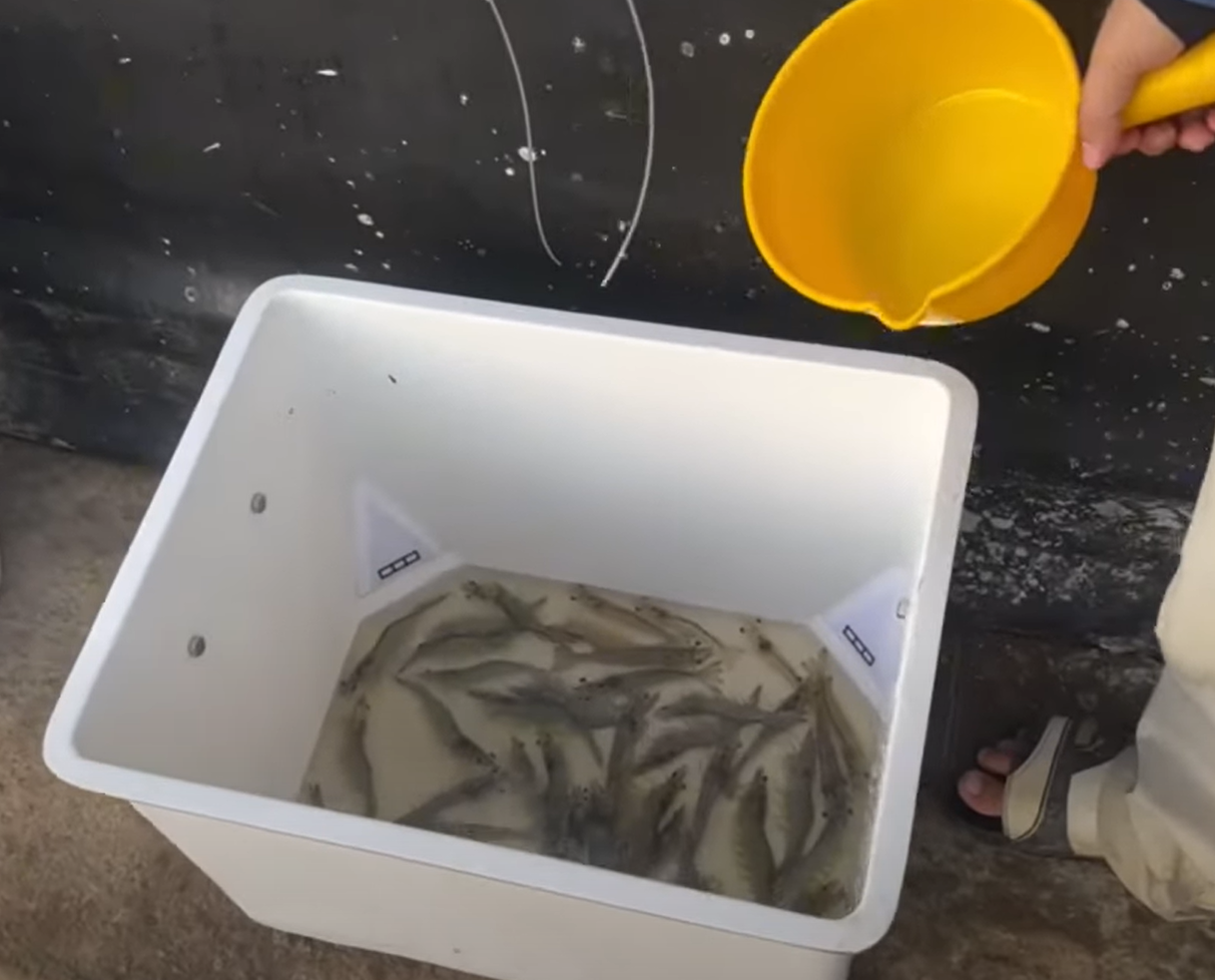
- Put the Shrimp into the TOMOTA S3 box
STEP 3: Position the Camera Correctly
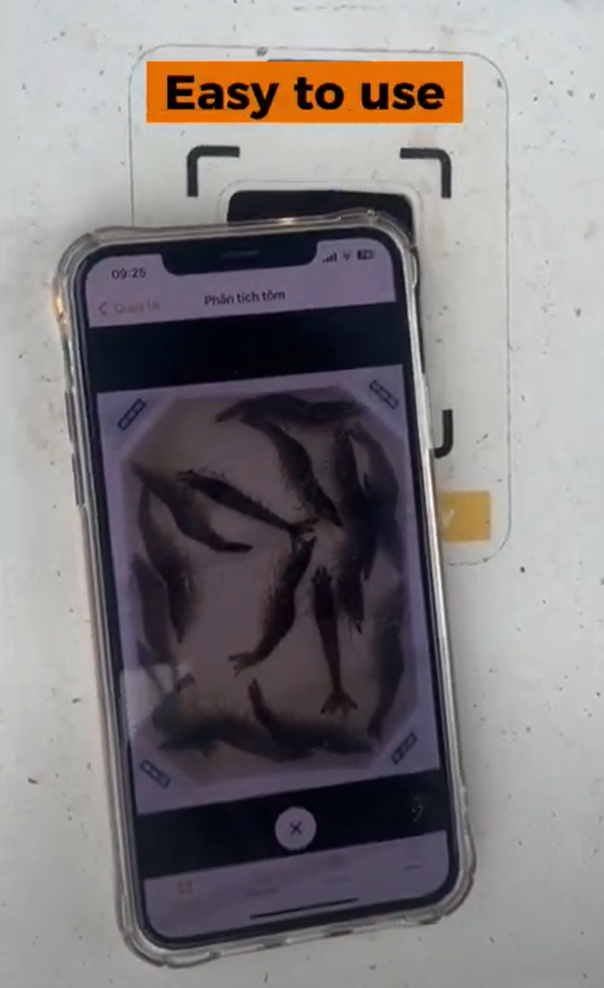
Open the TOMOTA app and use the camera in the app, place the phone at the square on the lid. Then adjust the camera to see 4 markers at the corners of the screen.
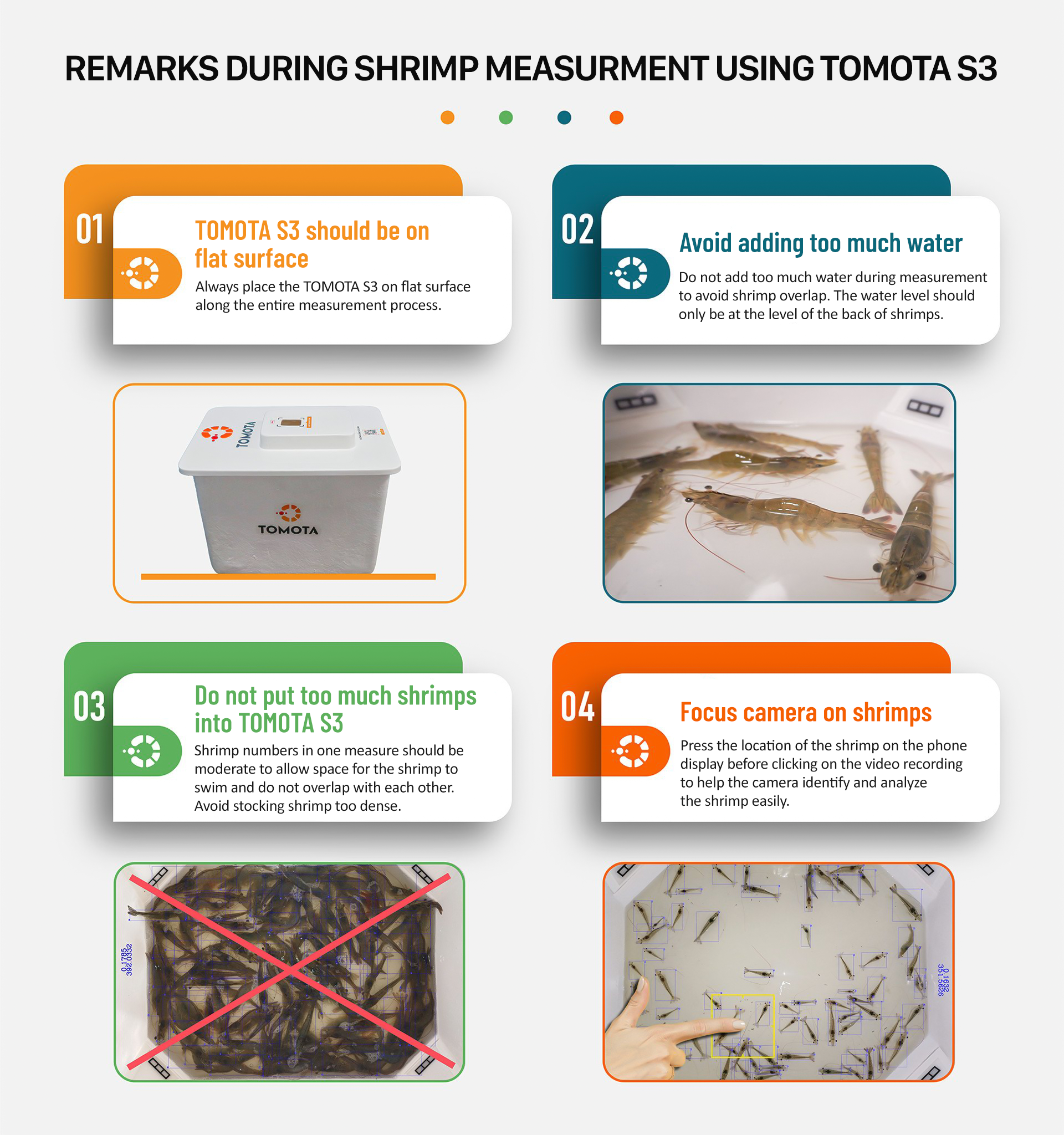
REMARK DURING SHRIMP MEASUREMENT USING TOMOTA S3
STEP 4: Observe Results
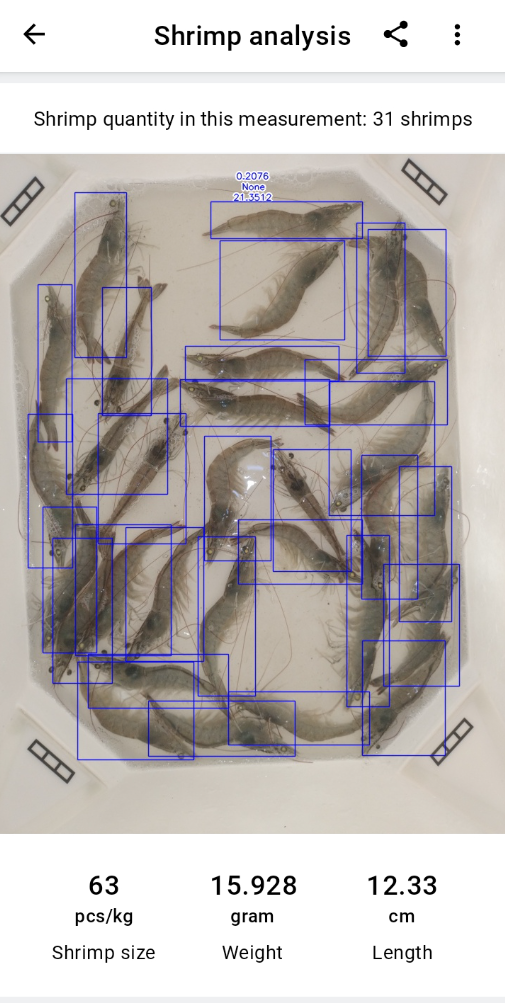
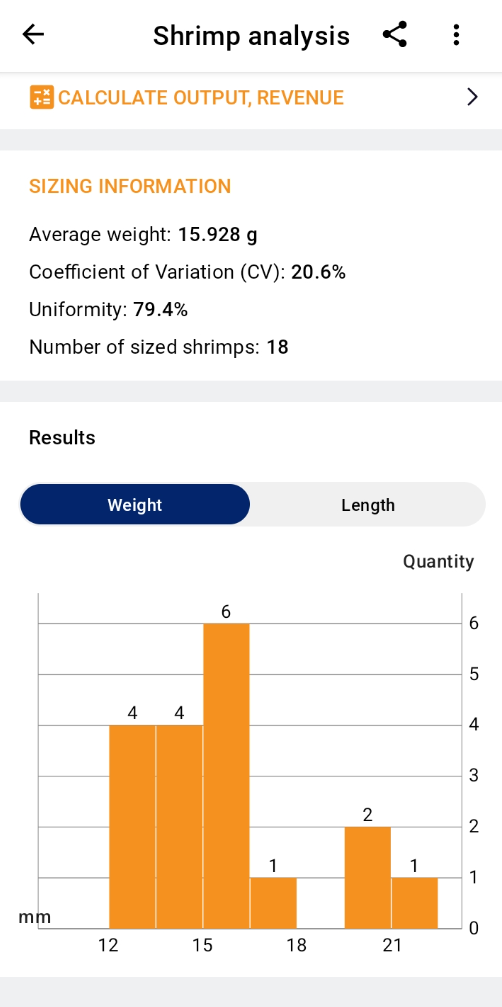
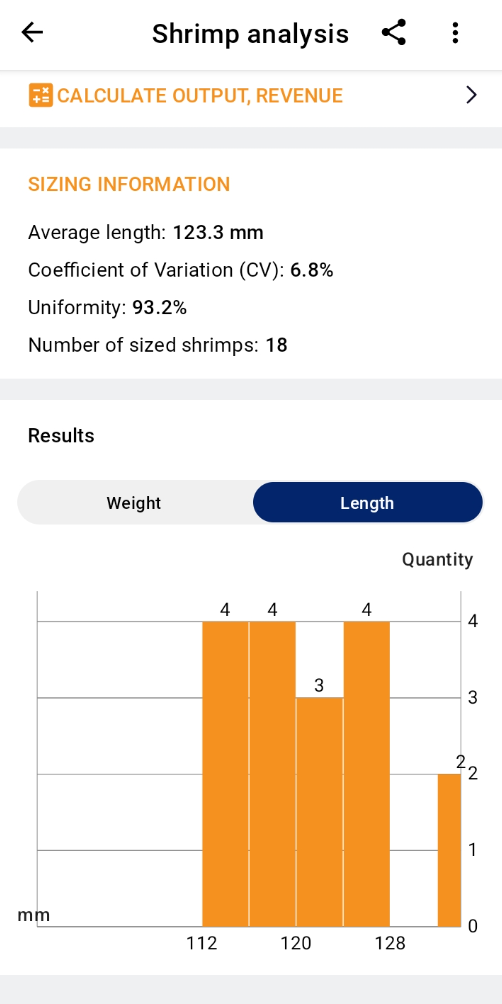
AI camera will automatically scan shrimp and list the size and weight.
STEP 5: Clean & Store
Clean after use and store in a cool, dry place.