¶ INSTRUCTIONS TO COUNT SHRIMP POST-LARVAE BY TOMOTA APPLICATION
- Option 1: Create a measurement through the ‘Management’ page
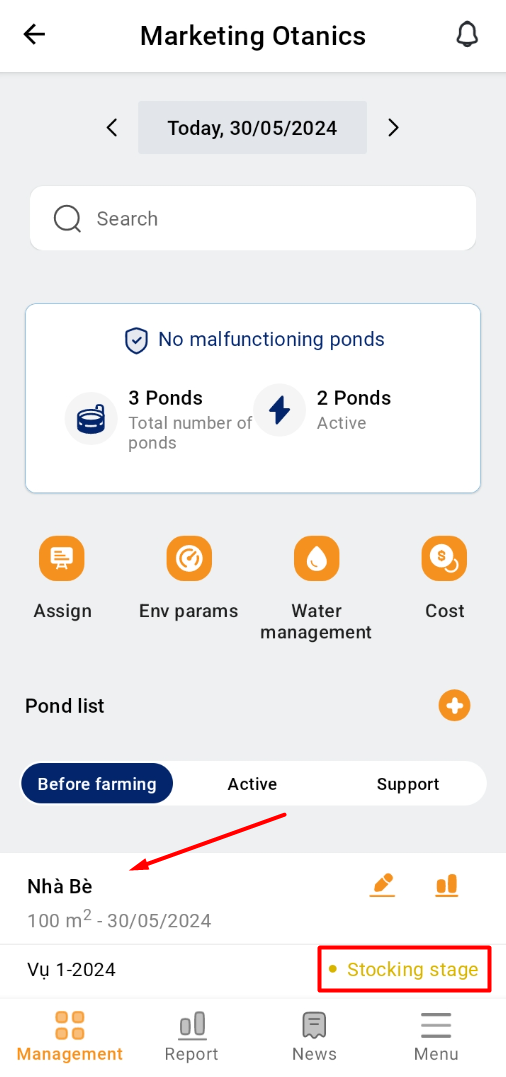
1. Access the TOMOTA app on your mobile device. Select the Pond that is needed to count post-larval shrimp at the “Management” item.
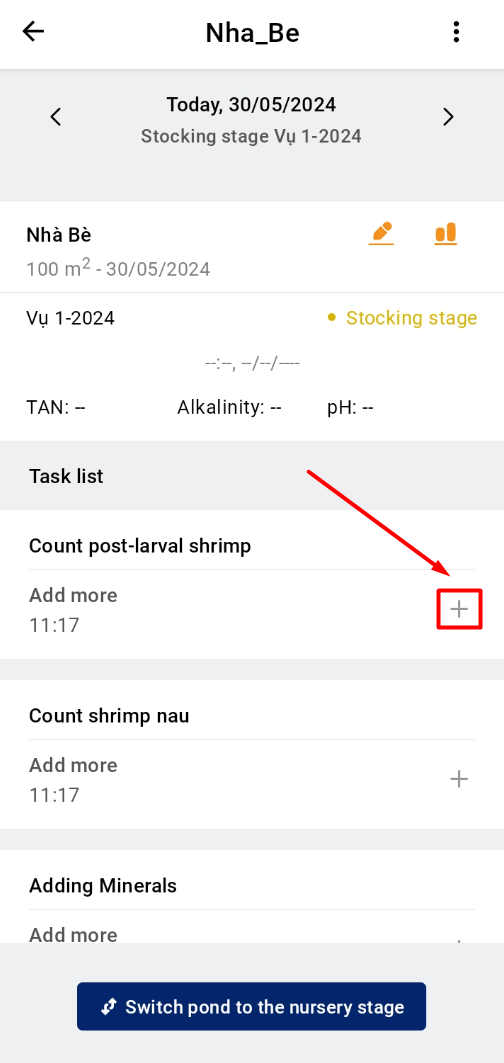
2. Click "+" on the right corner of the screen and select to “Count post- larval shrimp”.
 |
 |
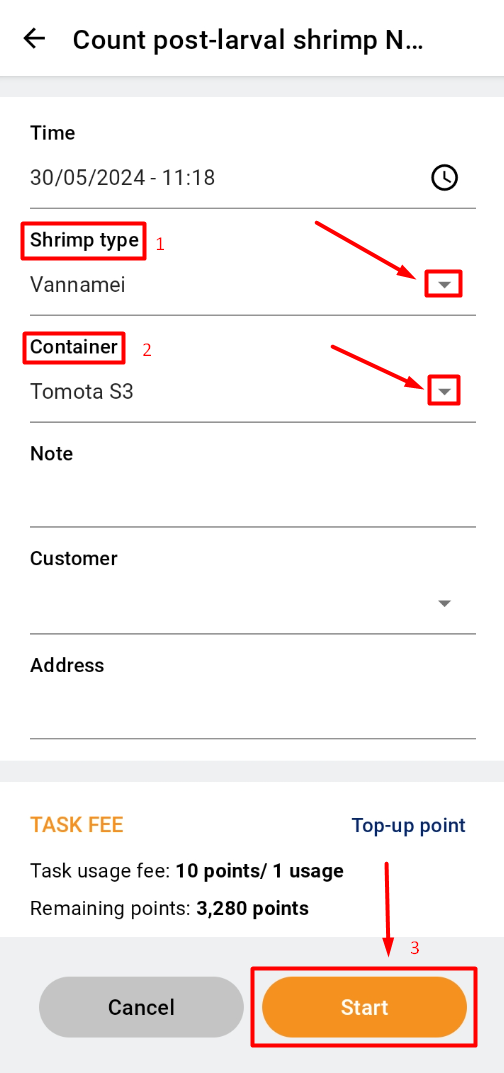
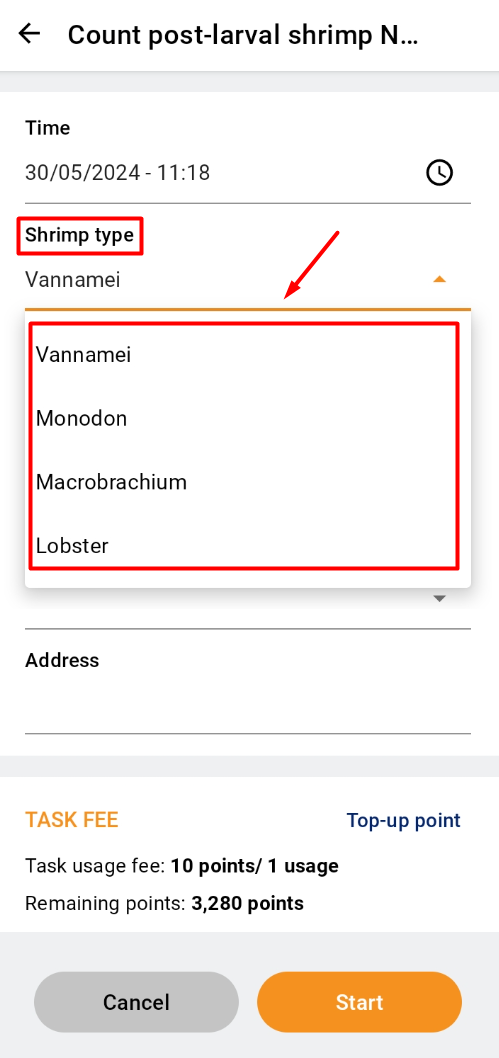
3. After creating a measurement, select the shrimp type by clicking the ▼ next to “Shrimp type”. Next, click the ▼ next to “Container” and select “TOMOTA S3". Click “Start”.
 |
 |
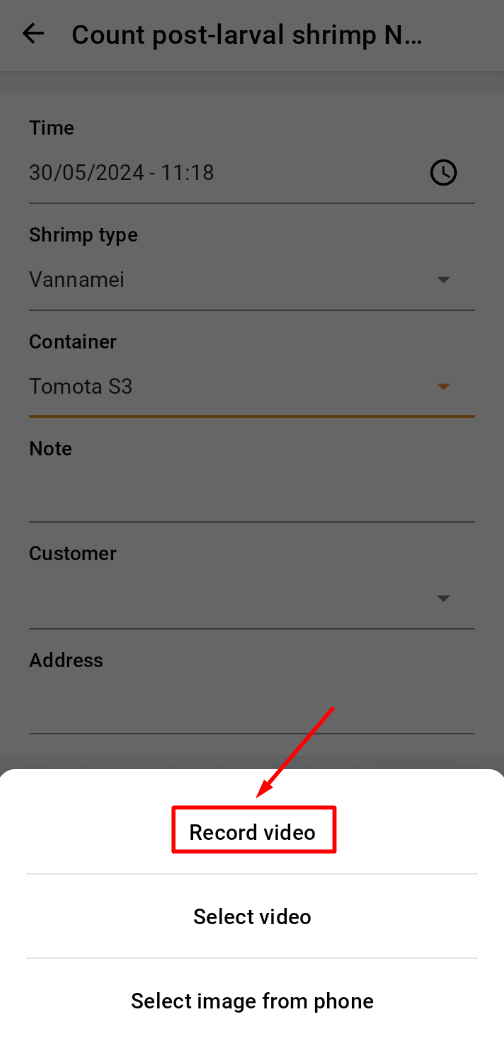
4. Then click “Record video” to take a video in real time.
5. A new interface will open, adjust the position of the camera, where the user clicks on the center of the box to focus the camera. Click the button to record.
 |
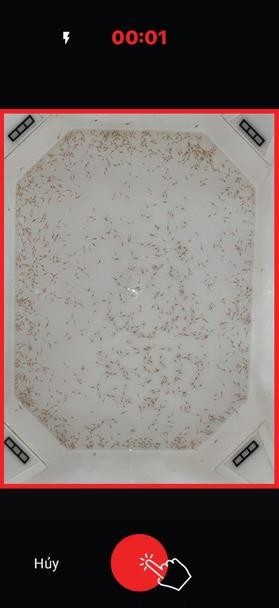 |
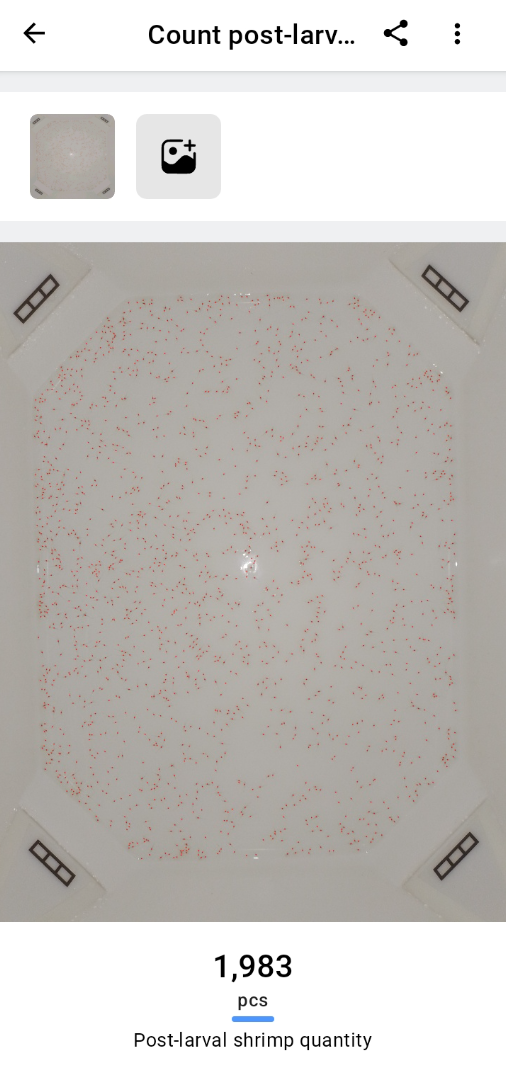
6. After 6 seconds, the app will turn back this screen. Wait for a while to receive the analysis results.
- Option 2: Create a measurement through the ‘Menu’ page
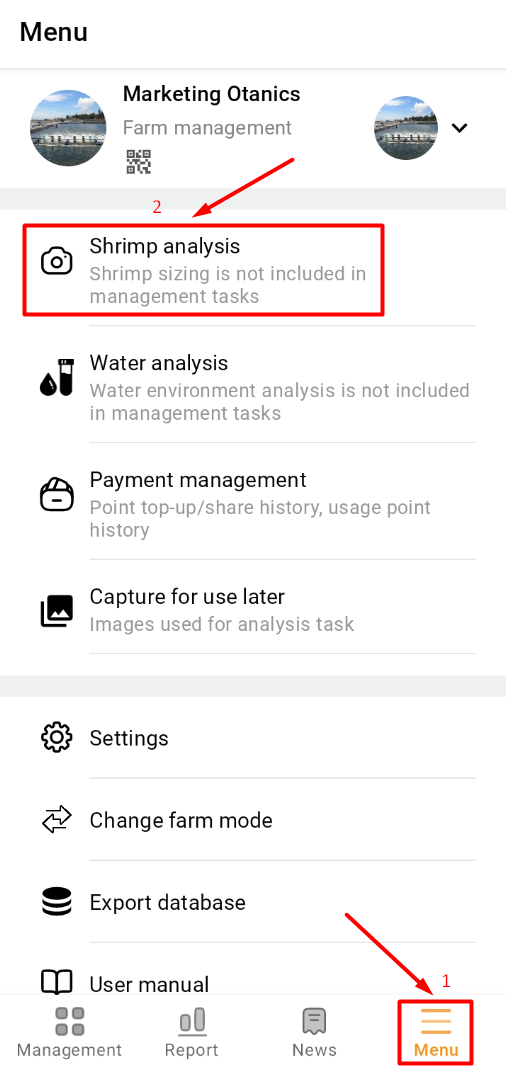
1. Access the TOMOTA app on your mobile device. Click on the "Menu" item and select the "Shrimp analysis" section;
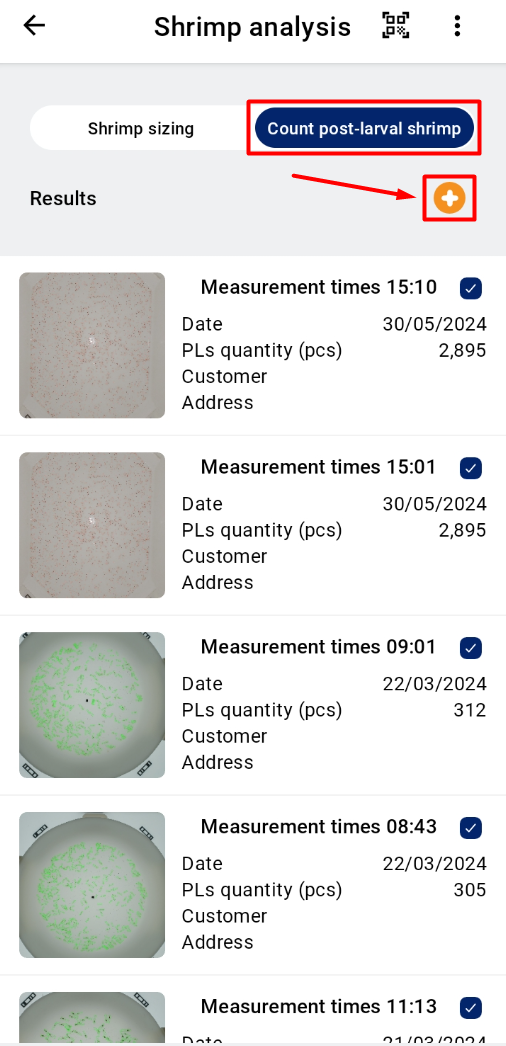
2. Choose to measure “Count post-larval shrimp”. Click to create a measurement by clicking the “+” sign.
 |
 |
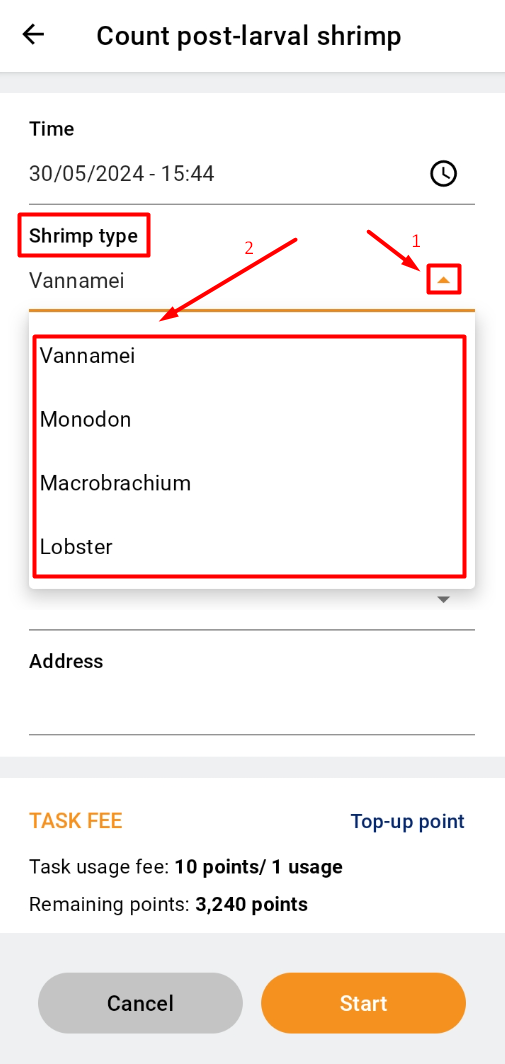
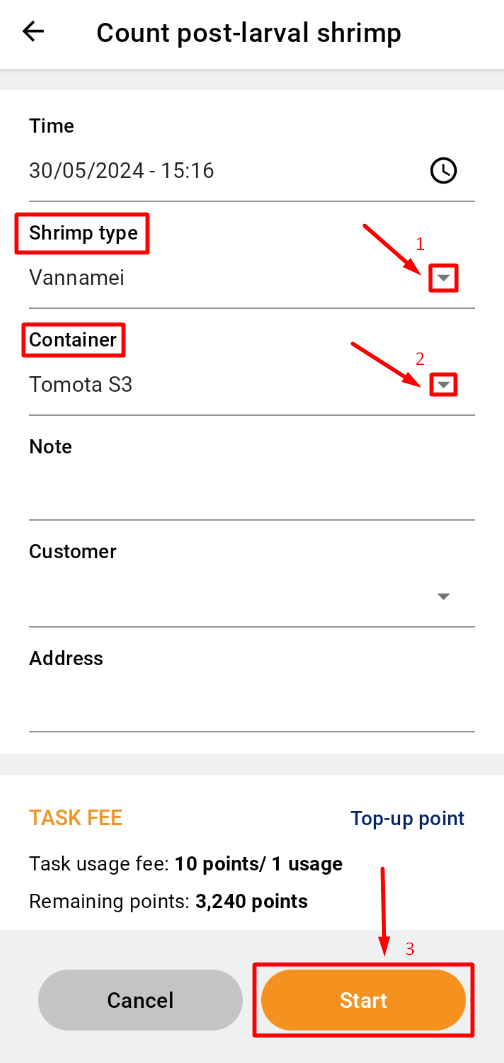
3. After creating a measurement, select the shrimp type by clicking the ▼ next to “Shrimp type”. Next, click the ▼ next to “Container” and select “TOMOTA S3". Click “Start”; then click “Record video” to take a video in real time.
 |
 |
4. A new interface will open, adjust the position of camera, where the user clicks on the center of the box to focus the camera;
5. The screen will display the update notices and update the shrimp larval count. Wait a few seconds to receive the results.

¶ INSTRUCTIONS TO MEASURE SHRIMP ADULT BY TOMOTA APPLICATION
- Option 1: Create a measurement through the ‘Management’ page
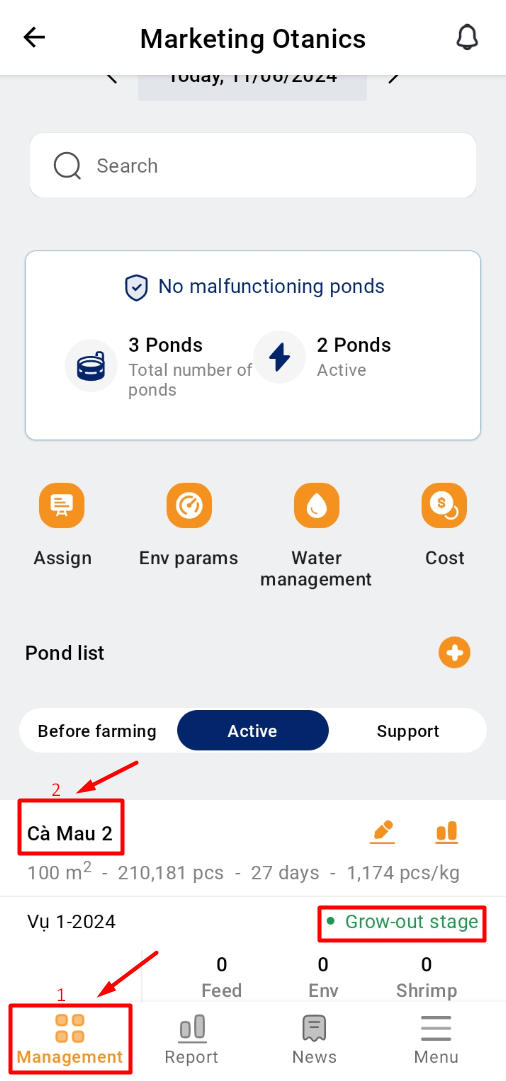
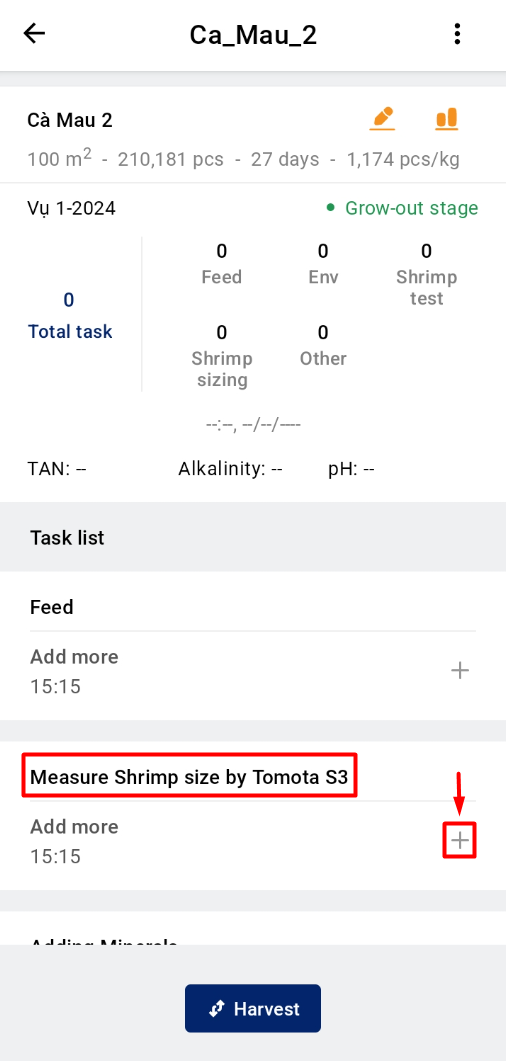
1. Access the TOMOTA app on your mobile device. Select the Pond that is needed to measure shrimp at the “Management” screen.
2. Click "+" on the right corner of the screen and select to “Measure Shrimp size by TOMOTA S3”.
 |
 |
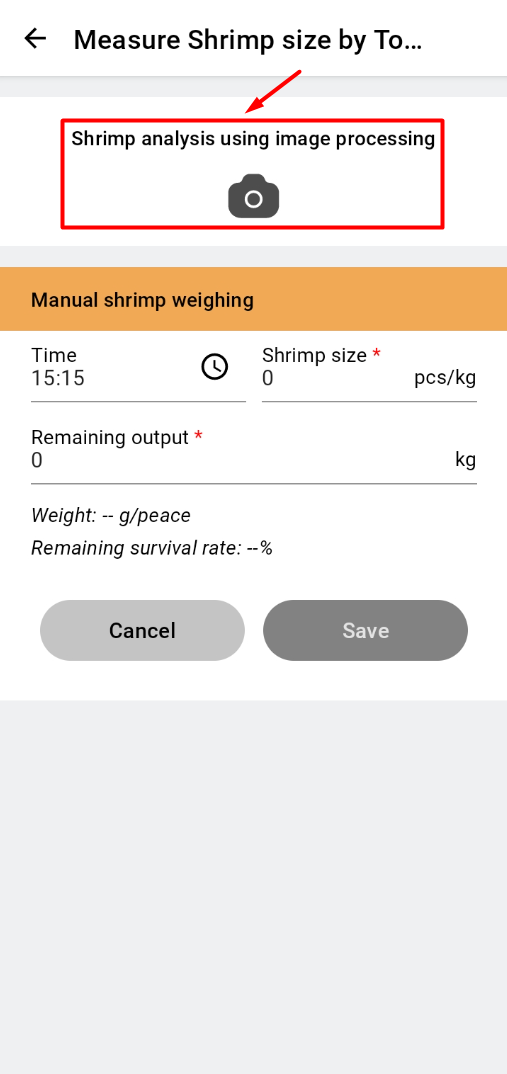
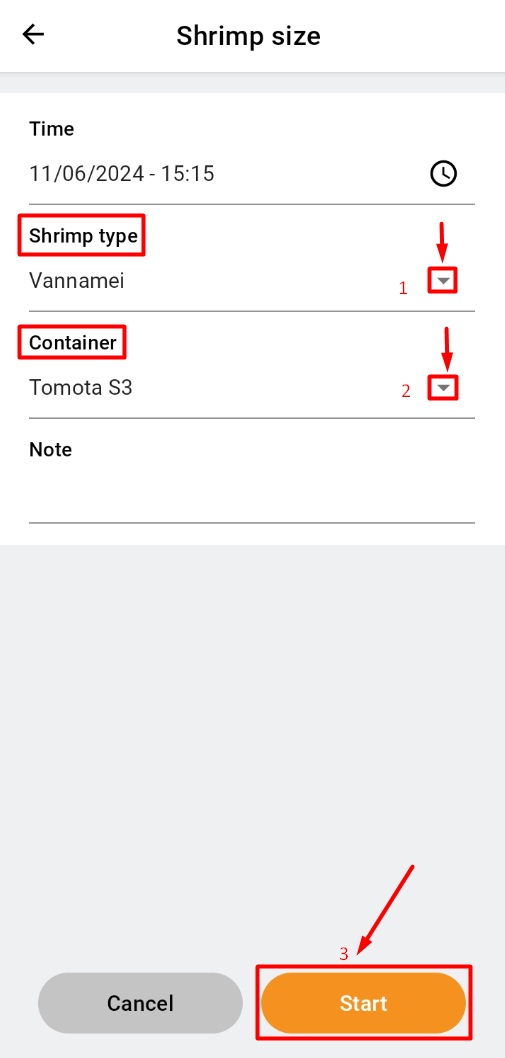
3. Click on “Shrimp analysis using image processing”. Then, select the shrimp type by clicking the ▼ next to “Shrimp type”. Next, click the ▼ next to “Container” and select “TOMOTA S3". Click “Start”.
 |
 |
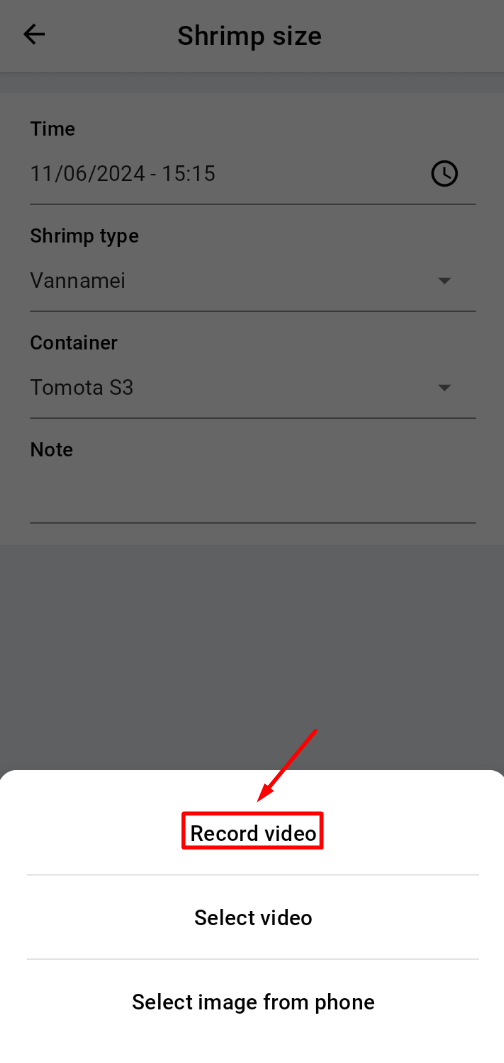
4. Click “Record video” to take a video in real time;
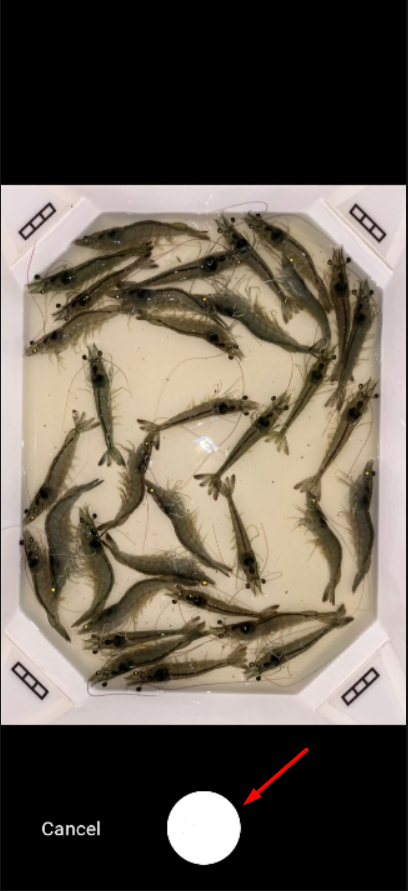
5. A new interface will open, adjust the position of the camera, where the user clicks on the center of the box to focus the camera;
 |
 |
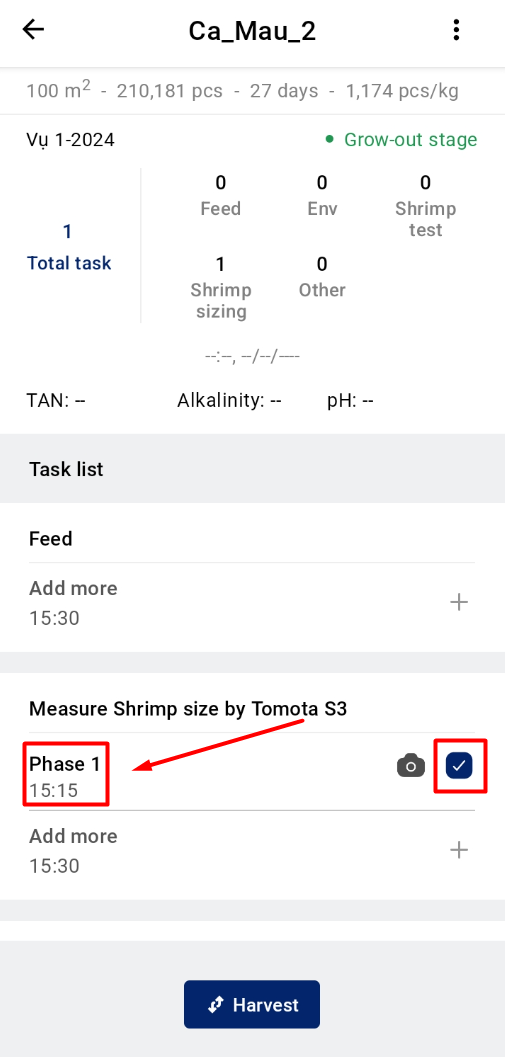
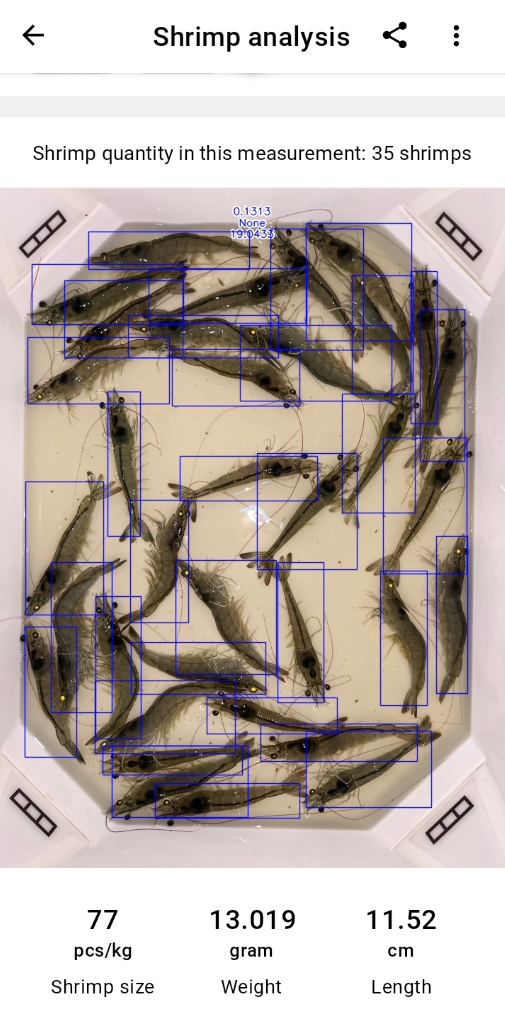
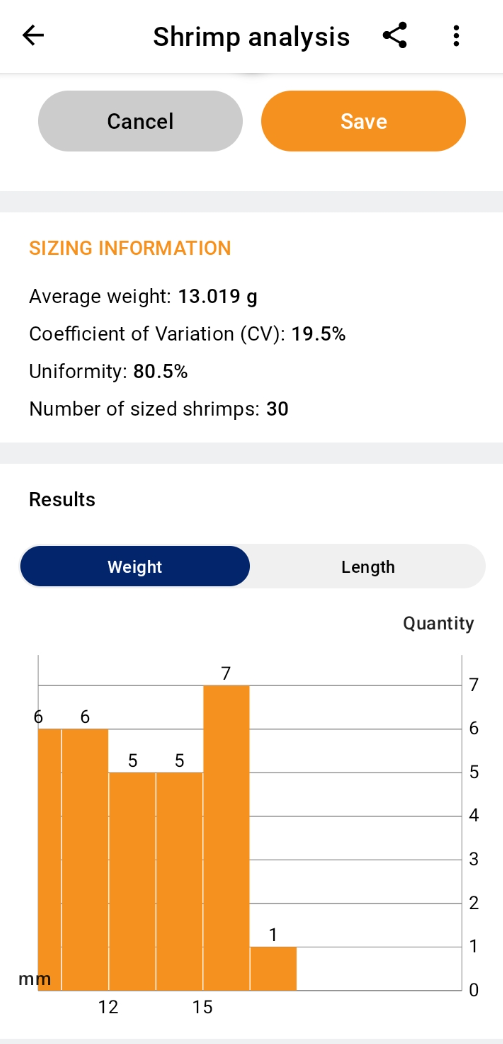
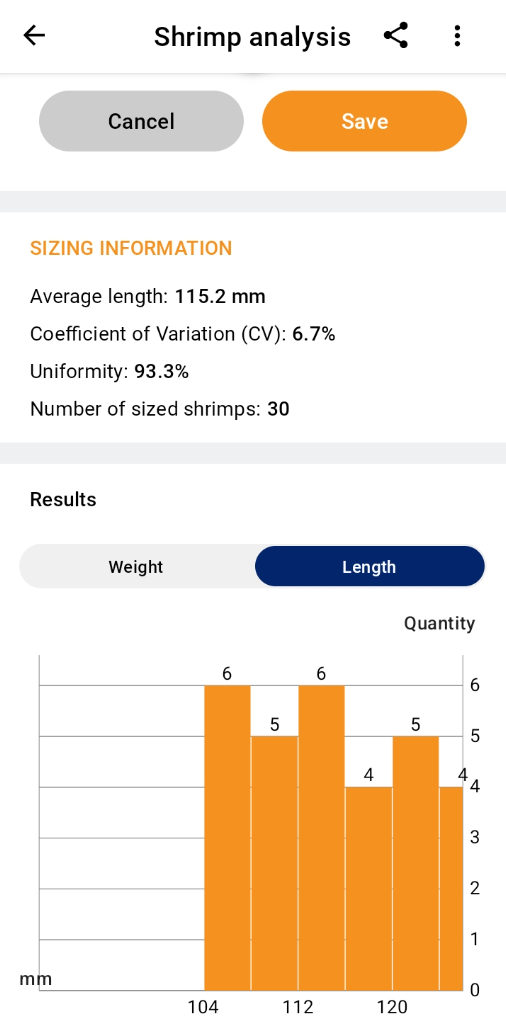
6. The screen will display the update notices and update the shrimp measurement. Wait a few seconds to receive the results.
 |
 |
 |
- Option 2: Create a measurement through the ‘Management’ page
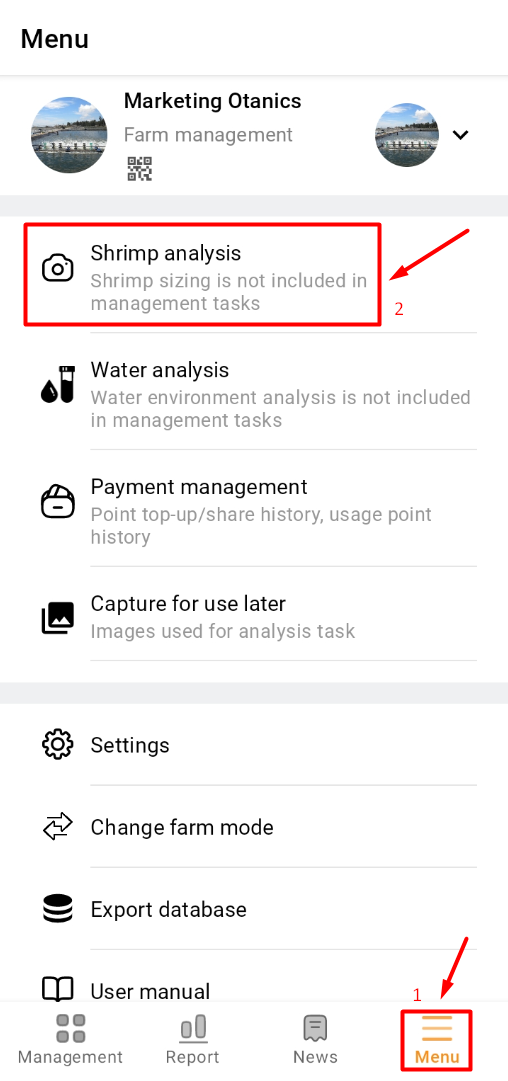
1. Access the TOMOTA app on your mobile device. Click on the "Menu" and select the "Shrimp analysis" section.
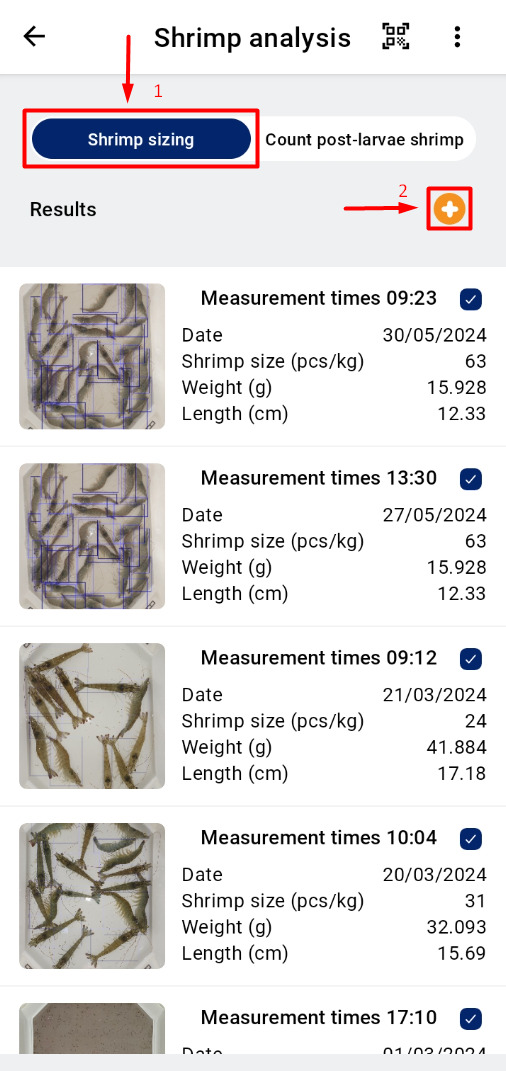
2. Choose to measure “Shrimp sizing”. Click to create a measurement by clicking the “+” sign.
 |
 |
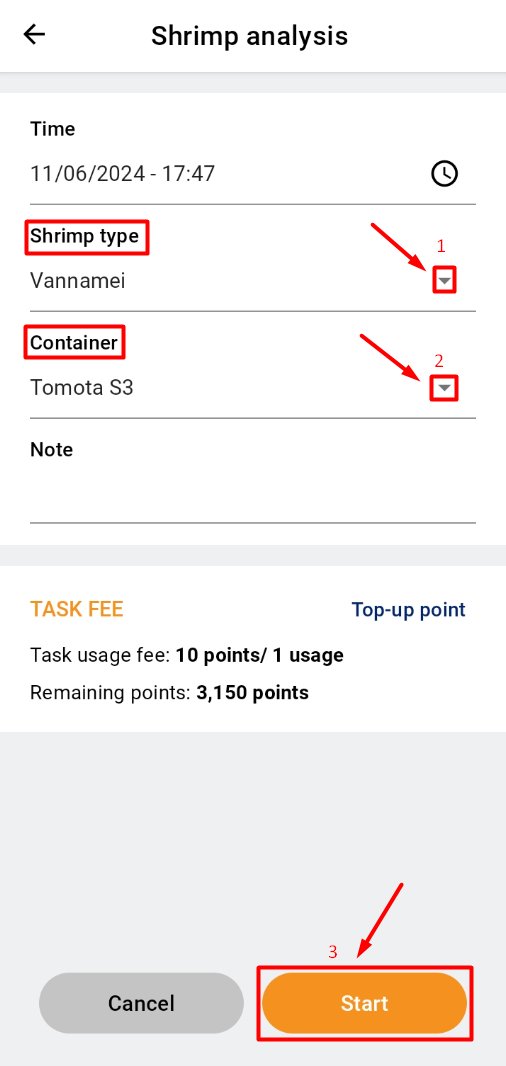
3. After creating a measurement, select the shrimp type by clicking the ▼ next to “Shrimp type”. Next, click the ▼ next to “Container” and select “TOMOTA S3". Click “Start”. Then click “Record video” to take a video in real time.
 |
|
4. A new interface will open, adjust the position of camera, where the user clicks on the center of the tray to focus the camera. Wait a few seconds to receive the results.
|
|
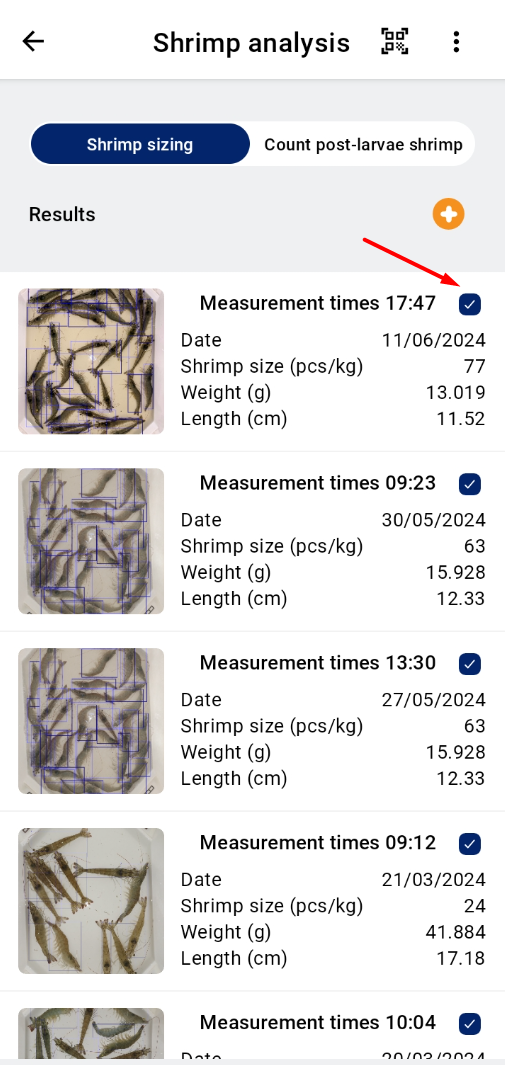 |
5. Observe the result.
|
|
|
|