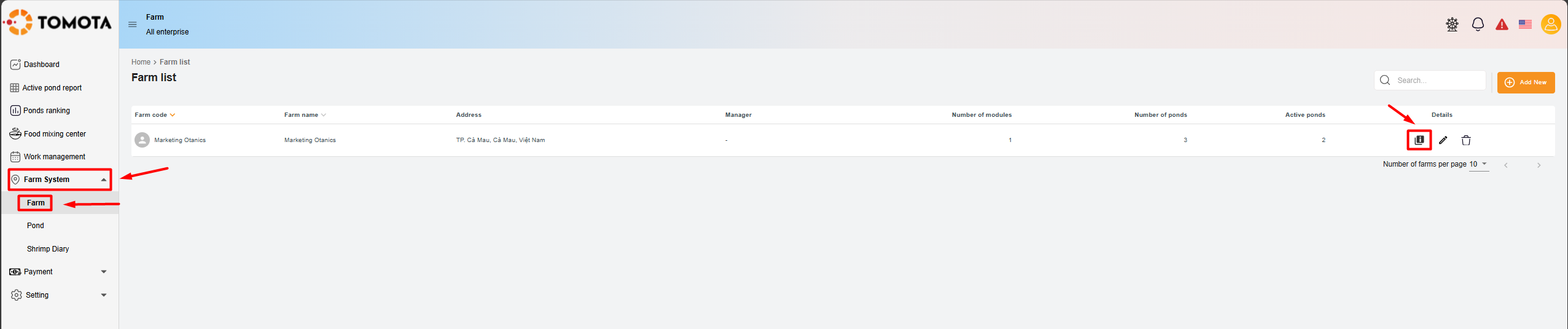
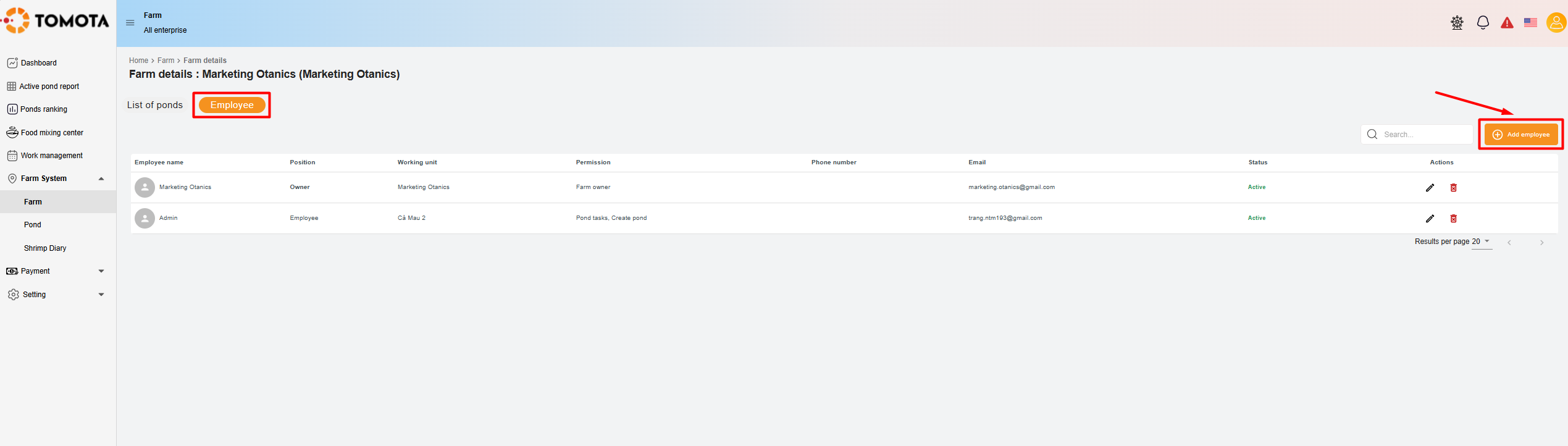
Step 1: Access the "Farm System," select "Farm", and then click on the "¡" icon.
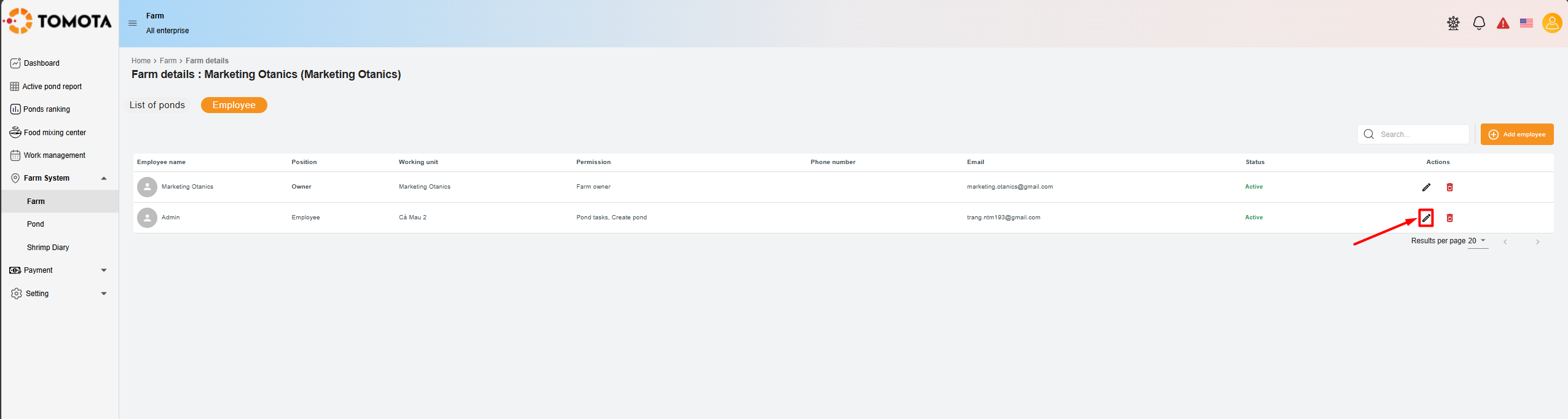
Step 2: Select the "Employee" section; the screen will display the list of members. Choose the employee you want to assign roles to, or add a new certification management staff member.
1) For current members:
- Select the employee you want to assign certification management roles to and click on the edit icon.
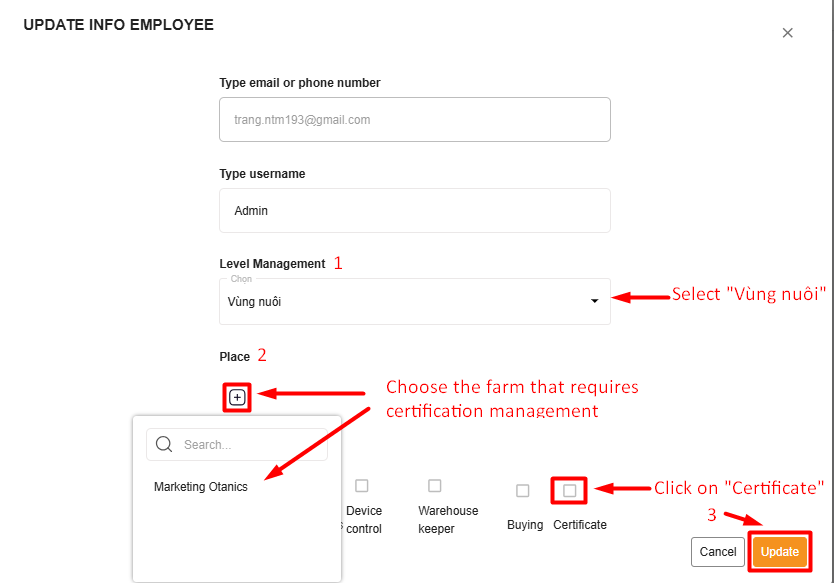
- The screen displays "UPDATE INFO EMPLOYEE", to update your employee information, click on “Level Management”, select “Vùng nuôi”, then reselect “Place”, and click on the "+" icon.
- Next, select “Certification” from the “Decentralization” section and click "Update".
2. Employee not yet added to the list:
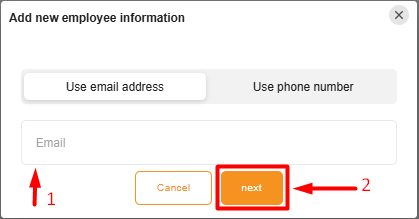
- Select “Add employee”, and the screen will display the “Add new employee information” section.
- Enter the employee's email or phone number, then click “Next";
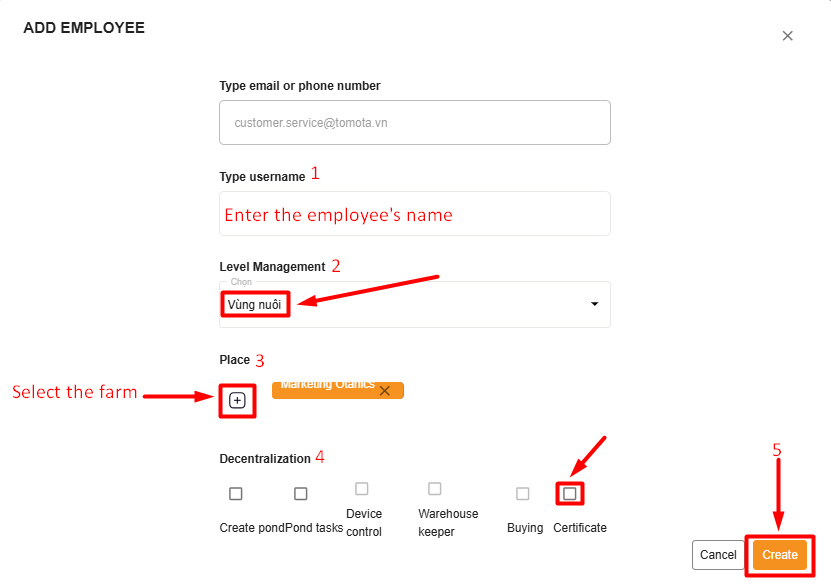
- The screen displays the information page, enter the employee's name and select “Vùng nuôi" from the “Level Management ” section. Then select “Place” that requires certification management. Next, in the “Decentralization” section, check the □ “Certification” box to display a green tick, and then click “Create”;
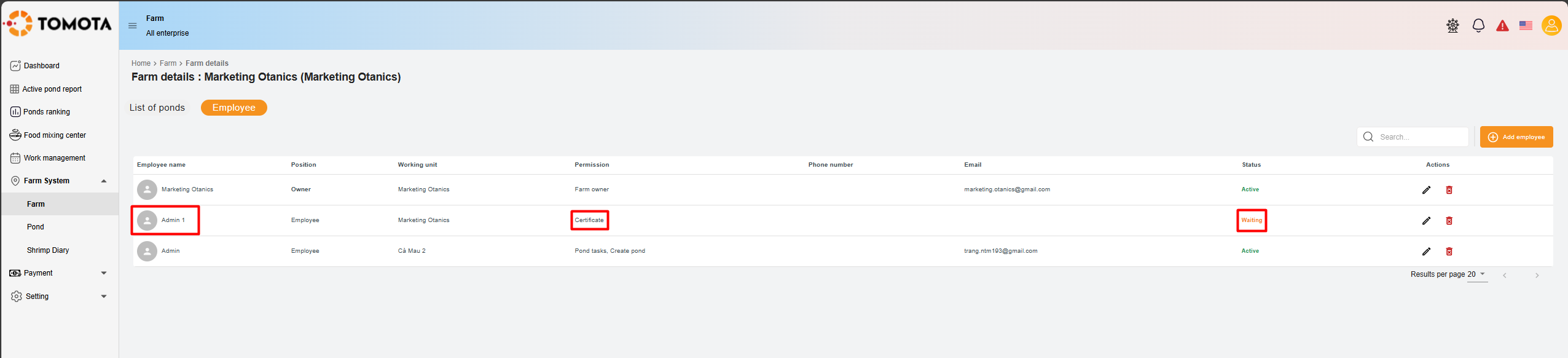
- After successfully adding the employee, the system will update, and the “Status” will display as “Waiting”. Once the employee accepts the invitation, their status will change to “Active”.