Step 1: Log in to the website farm.tomota.vn. Go to the “Settings” section, select “Certificate Profile,” and then choose “Add”.

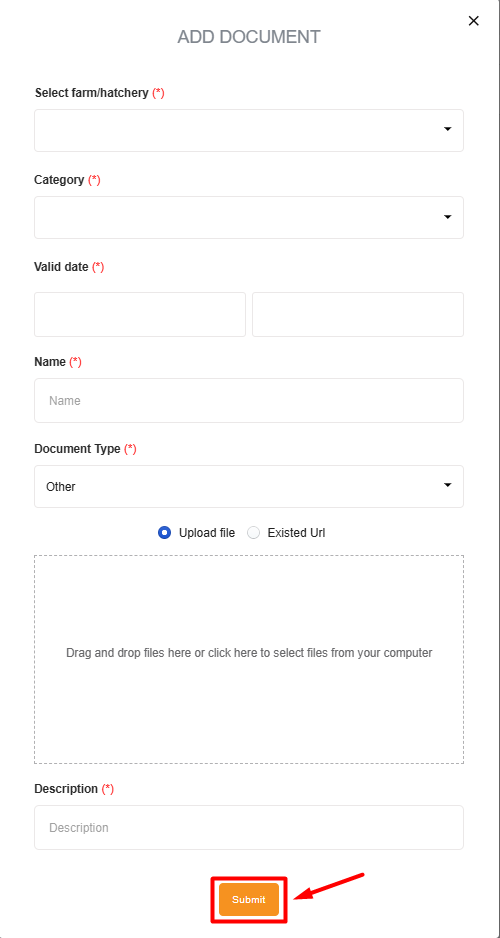
Step 2: Next, the screen will display “ADD DOCUMENT.” The fields marked with an asterisk require information to be filled in (*).
The document has been successfully uploaded. To edit or delete the document, click the icon on the right side of the screen.
