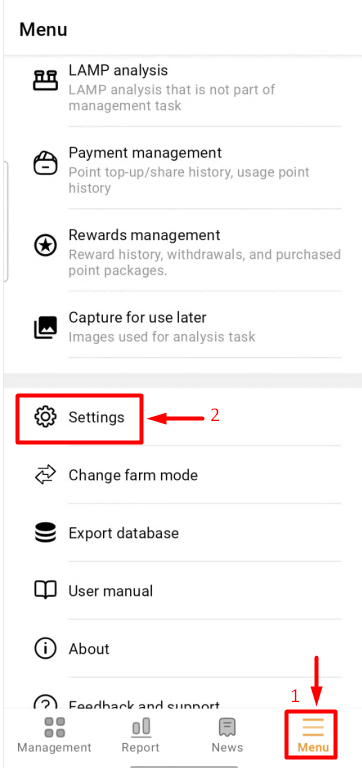
- Access the "Menu" (1) item, select “Settings” (2);
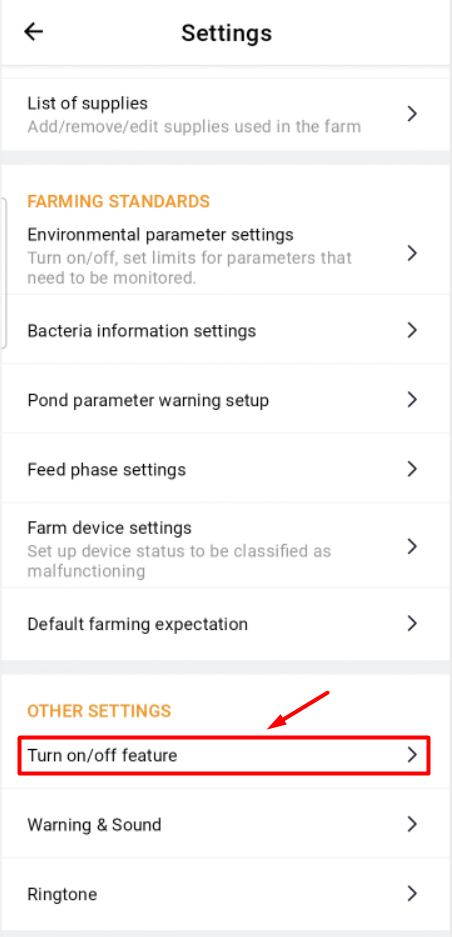
- Choose the farm you want to configure (1), and then click on “Turn on/off feature” (2) at “OTHER SETTINGS” item;
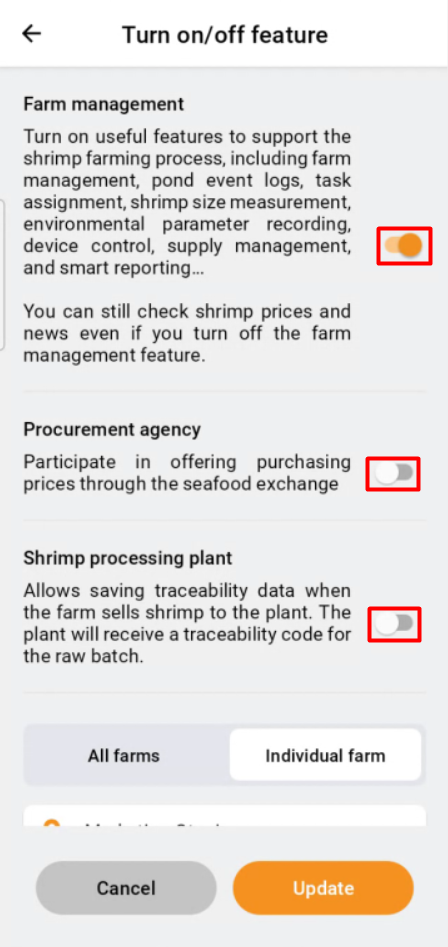
- The new interface will open, select whether to enable or disable the necessary common features;
- Scroll down to select additional features for the farm:
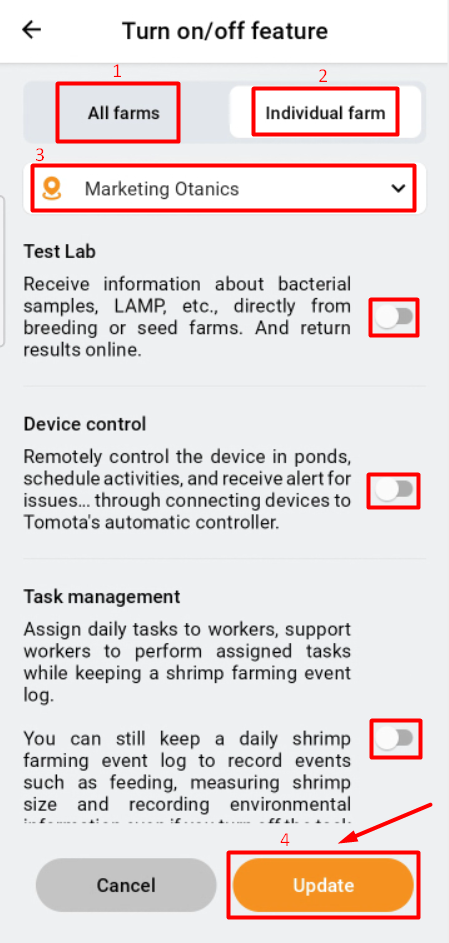
- All farm: This feature will be enforced on all farms, so make sure to consider it carefully before selecting;
- Individual farm: Configure personalized attributes for the chosen farm.
- Select the farm to configure features.
- Upon completion, click "Update".