"Warehouse keepers" are only allowed to add, delete, or modify the material catalog.
1. CREATE A NEW PRODUCT
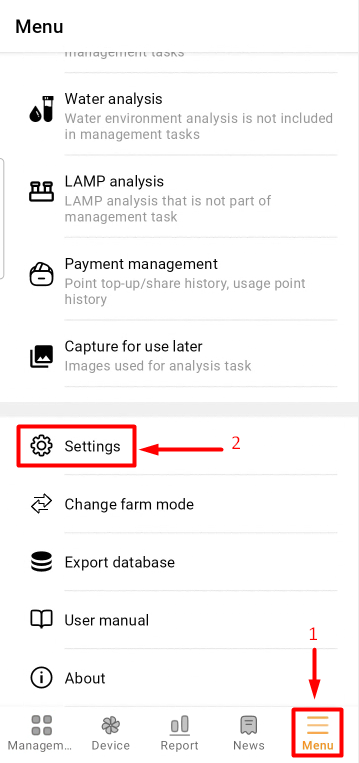
- Access the "Menu" (1) item, select “Settings” (2);
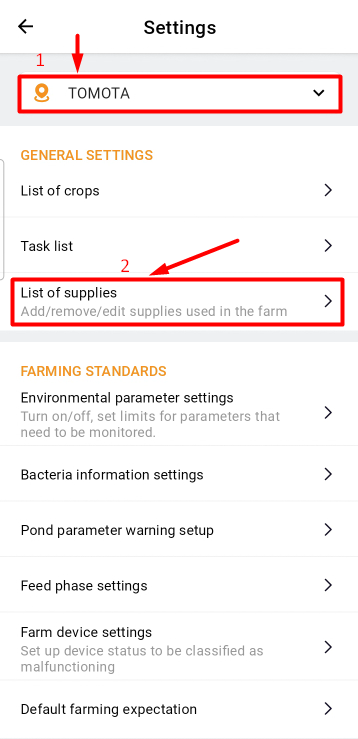
- Choose the farm you want to configure (1), and then click on “List of supplies” (2).
 |
 |
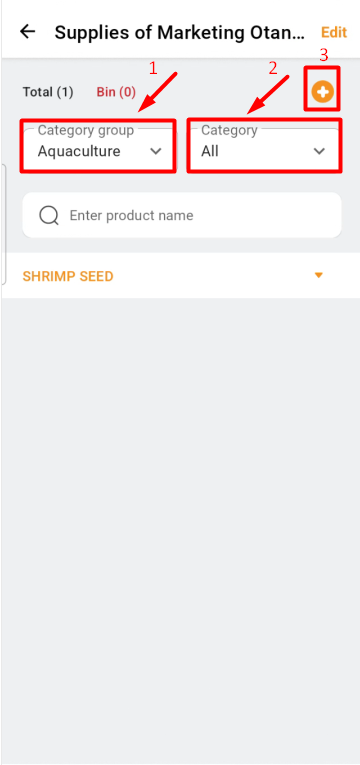
- To add new supplies, select the “Category Group” (1) and “Category” (2) where you want to add supplies, then click the “+” symbol (3) in the top-right corner;
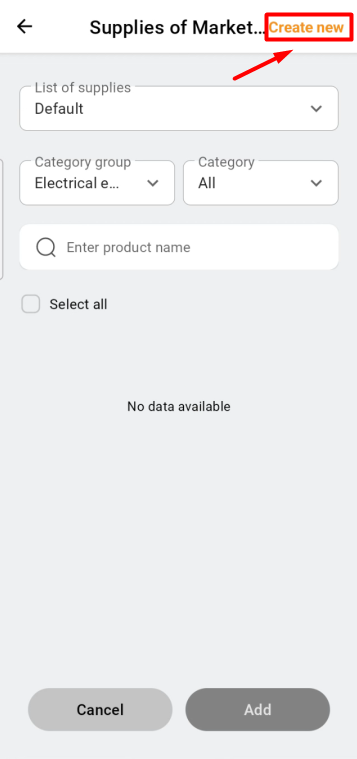
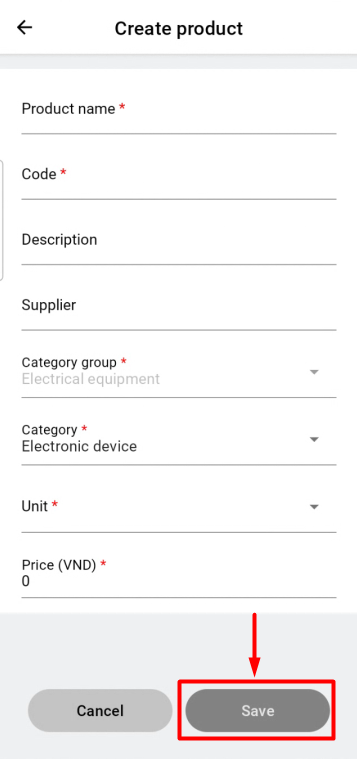
- A new interface will open. Select “Create New”, then enter the supply information.
 |
 |
2. EDIT THE PRODUCT INFORMATION
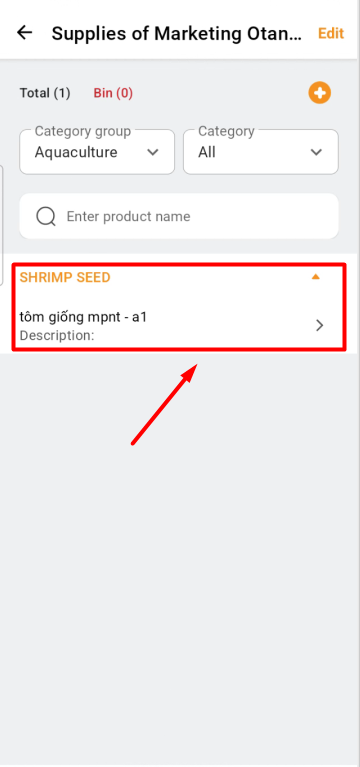
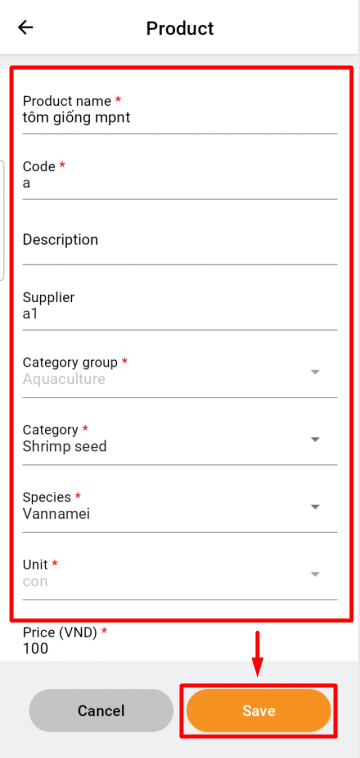
- Select the supply you want to modify, update the details, and click “Save”.
 |
 |