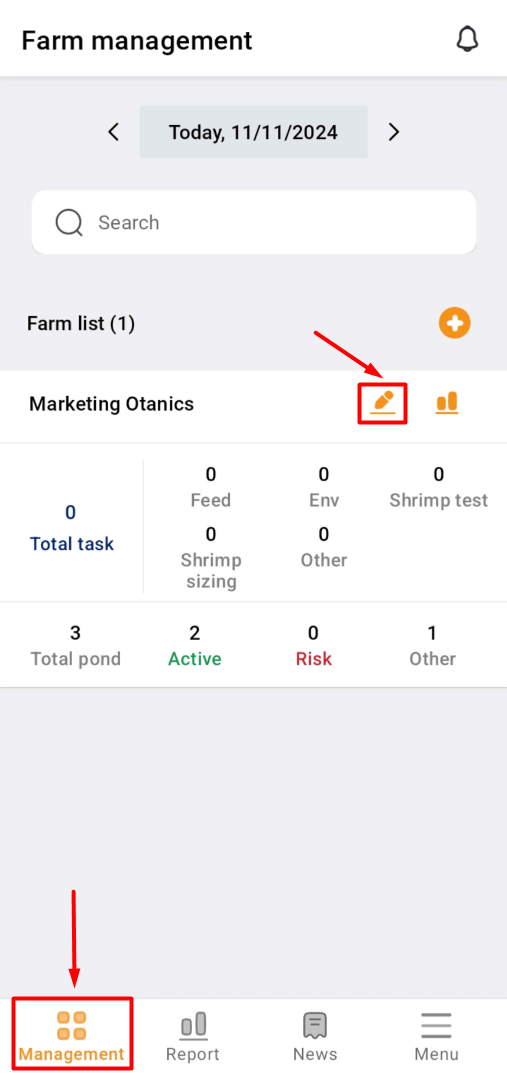
1. Go to the “Management” item;
Click on the pencil symbol.
The “Farm Management” section will return empty data if no farm areas have been created yet. Check the guide for CREATE_A_FARM
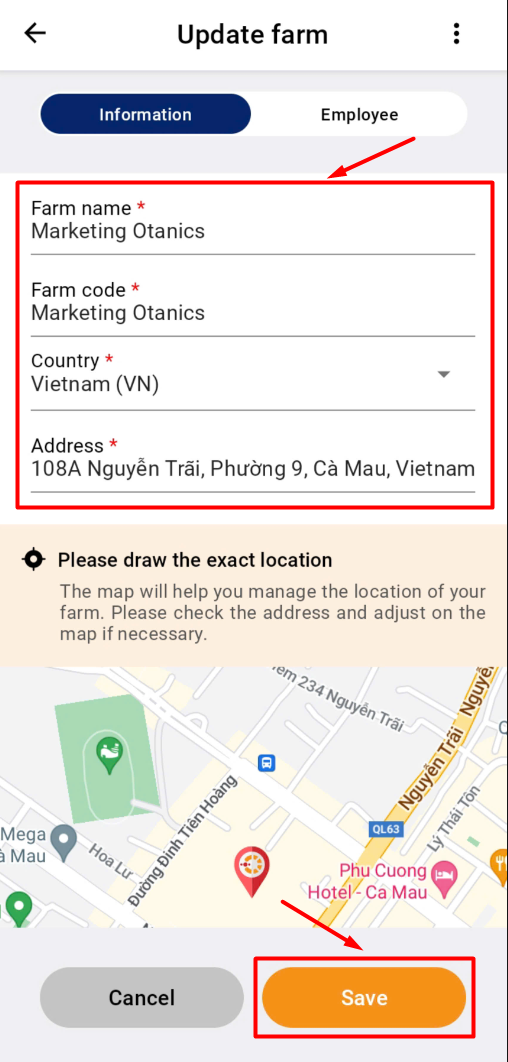
2. Fill out the information that needs to be corrected.
Click on the map to change the location if required.
To confirm, click “Save”.
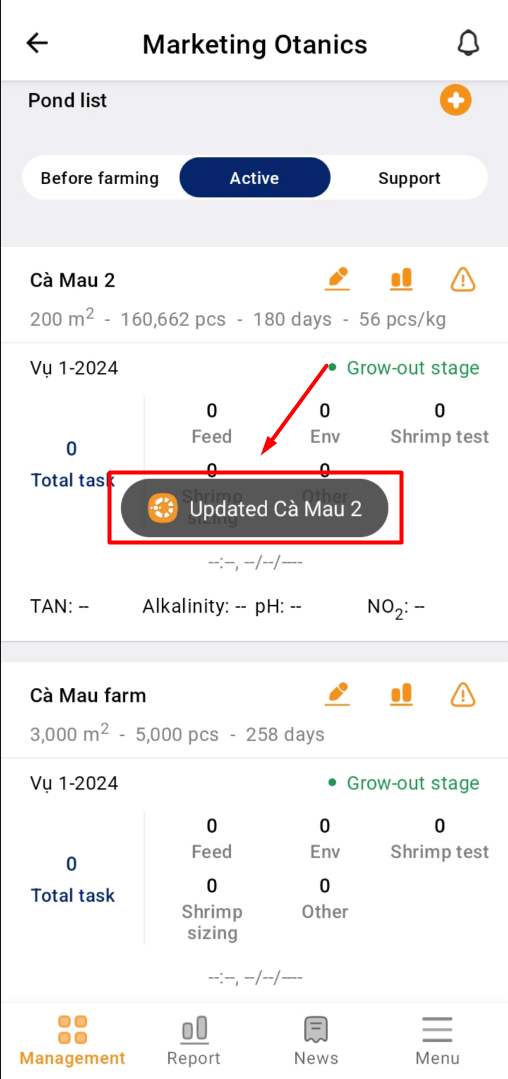
3. The farm information has been updated.
Follow the same procedure for the Module and pond.