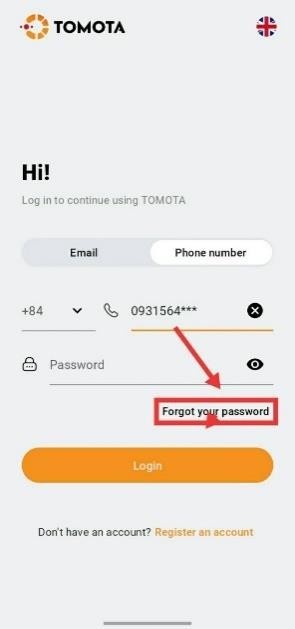
1. Click "Forgot your password" from the login screen.
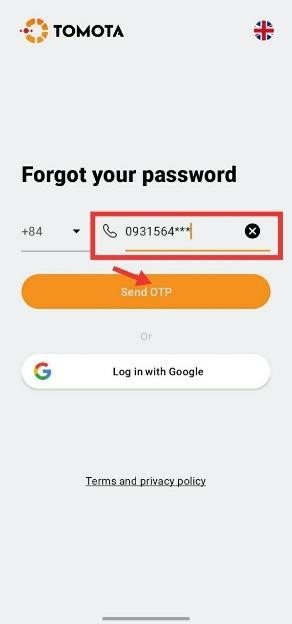
2. Enter your email address or your phone number, then select “Send OTP”.
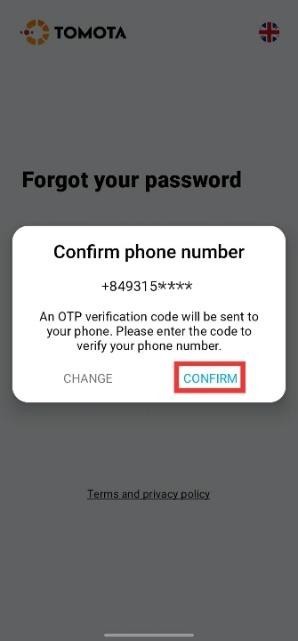
3. The screen will display your account information and prompt you to enter the received OTP code. Select ‘CONFIRM’ to receive the OTP, or ‘CHANGE’ to modify your information.
4. Check your inbox or spam folder for an OTP email from us. Alternatively, an OTP will be sent via text message to your registered phone number.
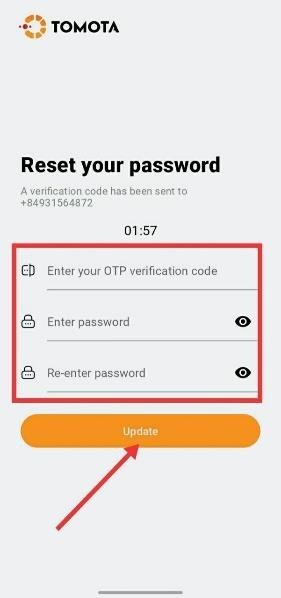
5. Enter the OTP and reset your new password. Press “Update” again. The system will automatically log in to the account after updating the new password.